Free Savings Goal Tracker Excel Template
Emergency fund, vacation, down payment — whatever you are saving for, this tracker turns the goal into a plan. Log contributions and always know exactly how much per month gets you there on time.
What's inside
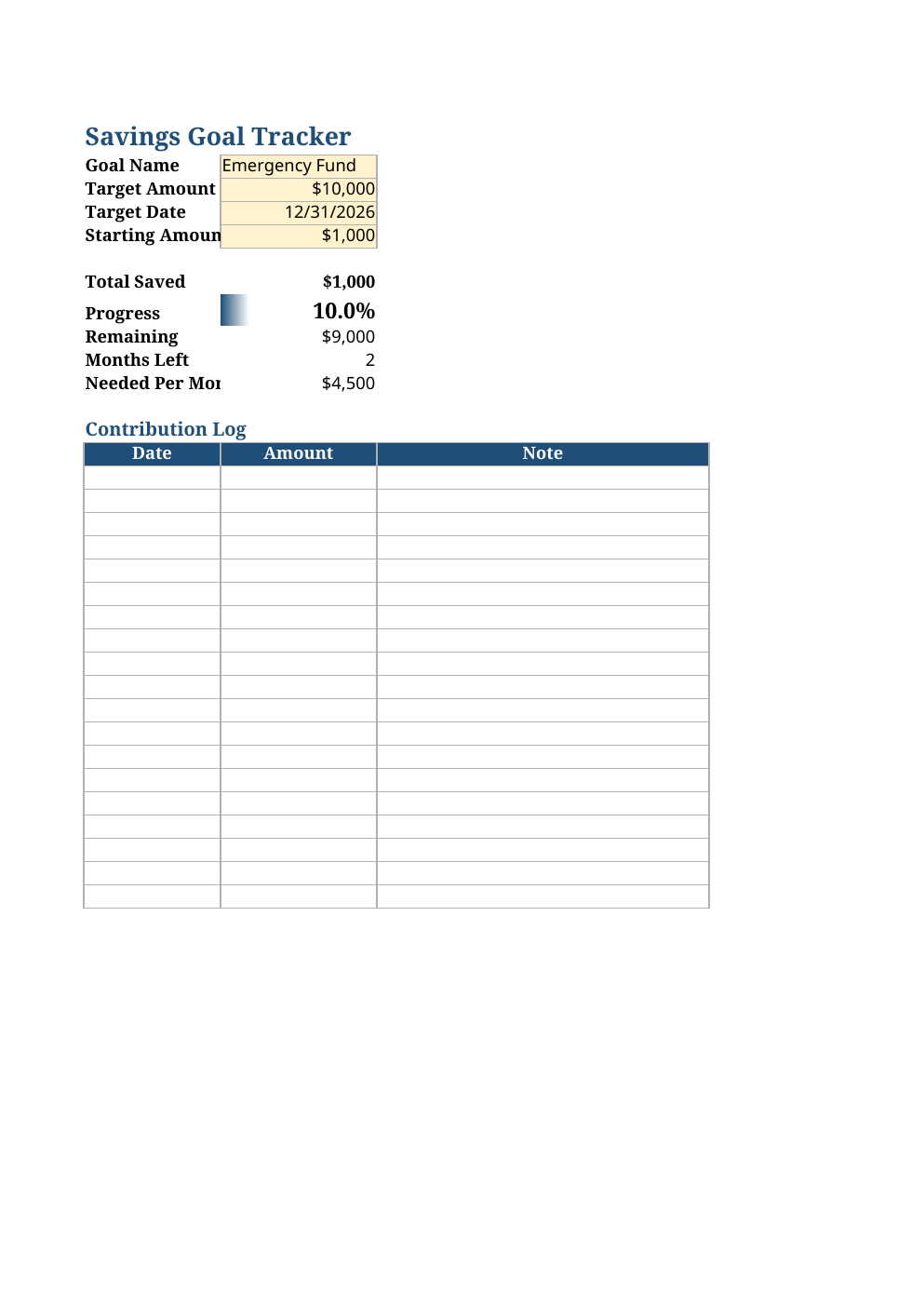
- Goal setup: name, target amount, target date, and starting amount
- Contribution log with date, amount, and note columns
- Automatic Total Saved, Progress %, and Remaining calculations
- Progress bar that fills as you save — plus green highlight at 100%
- Required-per-month figure based on months left until your target date
Opens in Microsoft Excel, Google Sheets, and LibreOffice. No signup, no watermarks.
How to use this template
Set up your goal at the top: what it is called, the target amount, the date you want it by, and anything you have already saved. The sheet immediately tells you how much you need to save per month.
Every time you move money toward the goal, add a row to the contribution log. Total Saved, Progress, and Remaining update on their own, and the progress bar fills — small dopamine hits that keep you going.
If the required-per-month number feels impossible, you have two honest levers: extend the target date or trim the target. Adjust them in the yellow cells and watch the monthly number become achievable. A plan you can actually follow beats an ambitious one you abandon.
Frequently asked questions
Can I track multiple goals at once?
This template is built for one goal done well. For multiple goals, save a copy of the file per goal — or run one goal at a time and roll the momentum into the next.
What if I miss a month?
Just keep logging. The required-per-month figure recalculates from what is actually saved versus the time left, so it will tell you the new pace honestly.
Does it account for interest?
No — it tracks contributions against the target, which is the right model for short-term goals in a savings account. For long-term investing projections, use our free compound interest calculator.
Works in Google Sheets?
Yes — upload the .xlsx to Drive and open with Sheets. Formulas, the progress bar, and date math all carry over.