Free Loan Comparison Worksheet Excel Template
Never take the first loan offer again. Line up three offers side by side and let the math crown a winner — monthly payment, total interest, and total cost, all automatic.
What's inside
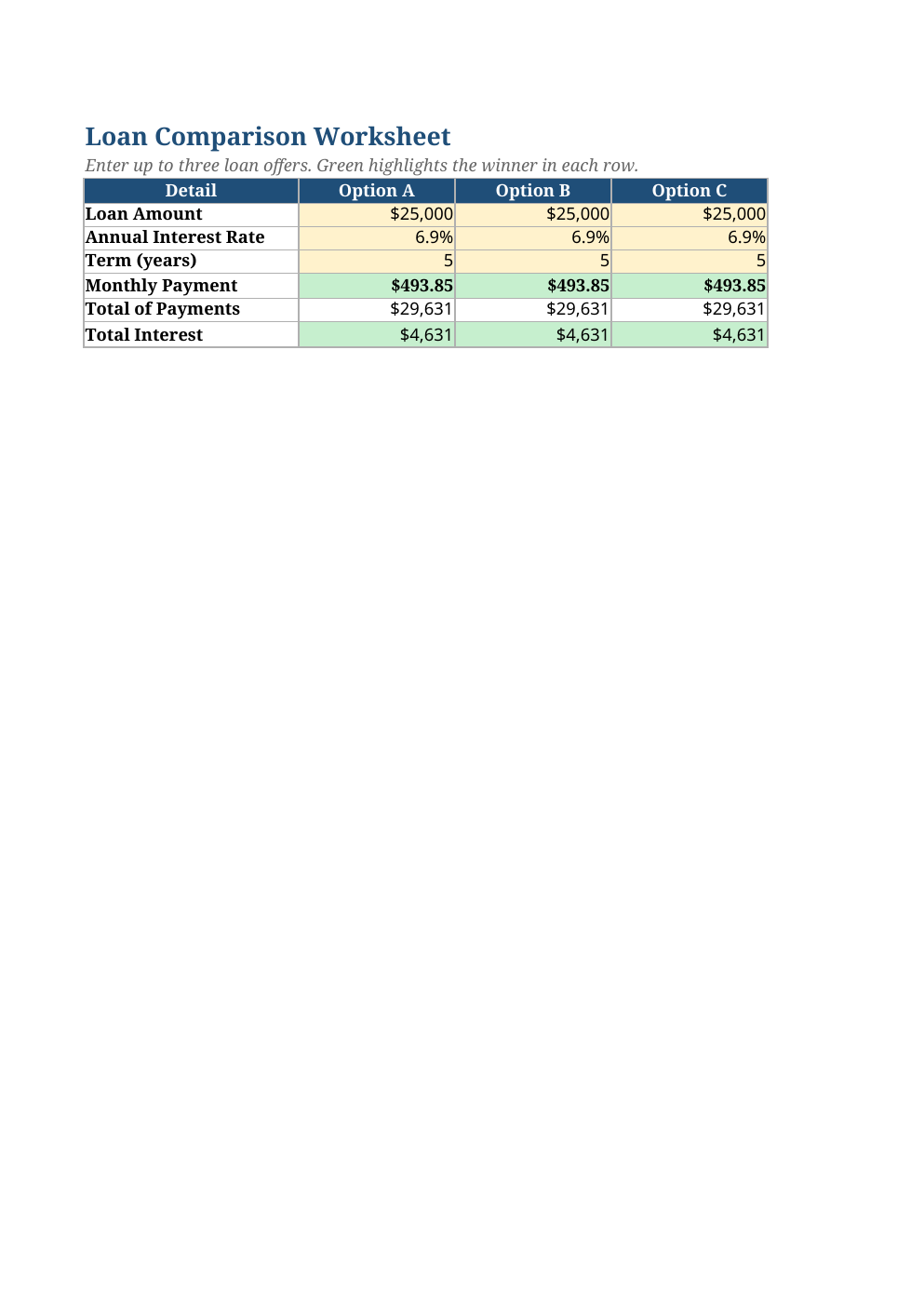
- Three side-by-side scenarios: amount, rate, and term inputs each
- Automatic monthly payment via the PMT formula for every offer
- Total paid and total interest per offer for true apples-to-apples
- Green winner highlighting on the lowest payment and lowest total interest
- Yellow input cells only where you type — the rest is formula
Opens in Microsoft Excel, Google Sheets, and LibreOffice. No signup, no watermarks.
How to use this template
Enter each lender's offer in its column: loan amount, annual rate, and term in years. Use the numbers from the actual pre-approval letters, not the advertised teaser rates.
The sheet instantly computes the monthly payment, total paid, and total interest per offer, highlighting the cheapest in green. The winner is not always the lowest rate — a longer term at a lower rate can still cost more overall, and this makes that visible.
Before you sign, sanity-check fees too: origination fees and points do not appear in the rate math, so add them mentally to the total cost. For a single loan deep-dive, our free loan calculator breaks any offer into full detail.
Frequently asked questions
Why isn't the lowest rate always the cheapest loan?
Term length matters as much as rate. A 7% 7-year loan can cost less total interest than a 6% 10-year loan. This sheet shows total interest precisely so you compare the real cost.
Can I compare more than three offers?
The sheet is built for three, which covers nearly every real shopping situation. For a fourth, duplicate a column and extend the winner-highlight ranges.
Does it include fees and points?
No — lender fees vary too much to automate. Add them to the loan amount mentally, or reduce the amount by cash-back offers, before comparing.
Fixed or variable rates?
This compares fixed-rate offers. For variable rates, the math only holds until the first adjustment — compare the initial fixed period and read the adjustment caps carefully.