Free Recipe Cost Calculator Template
Price your menu with confidence. Enter what you pay for each ingredient and how much the recipe uses, and see the batch cost, cost per serving and a suggested price based on your target food cost.
What's inside
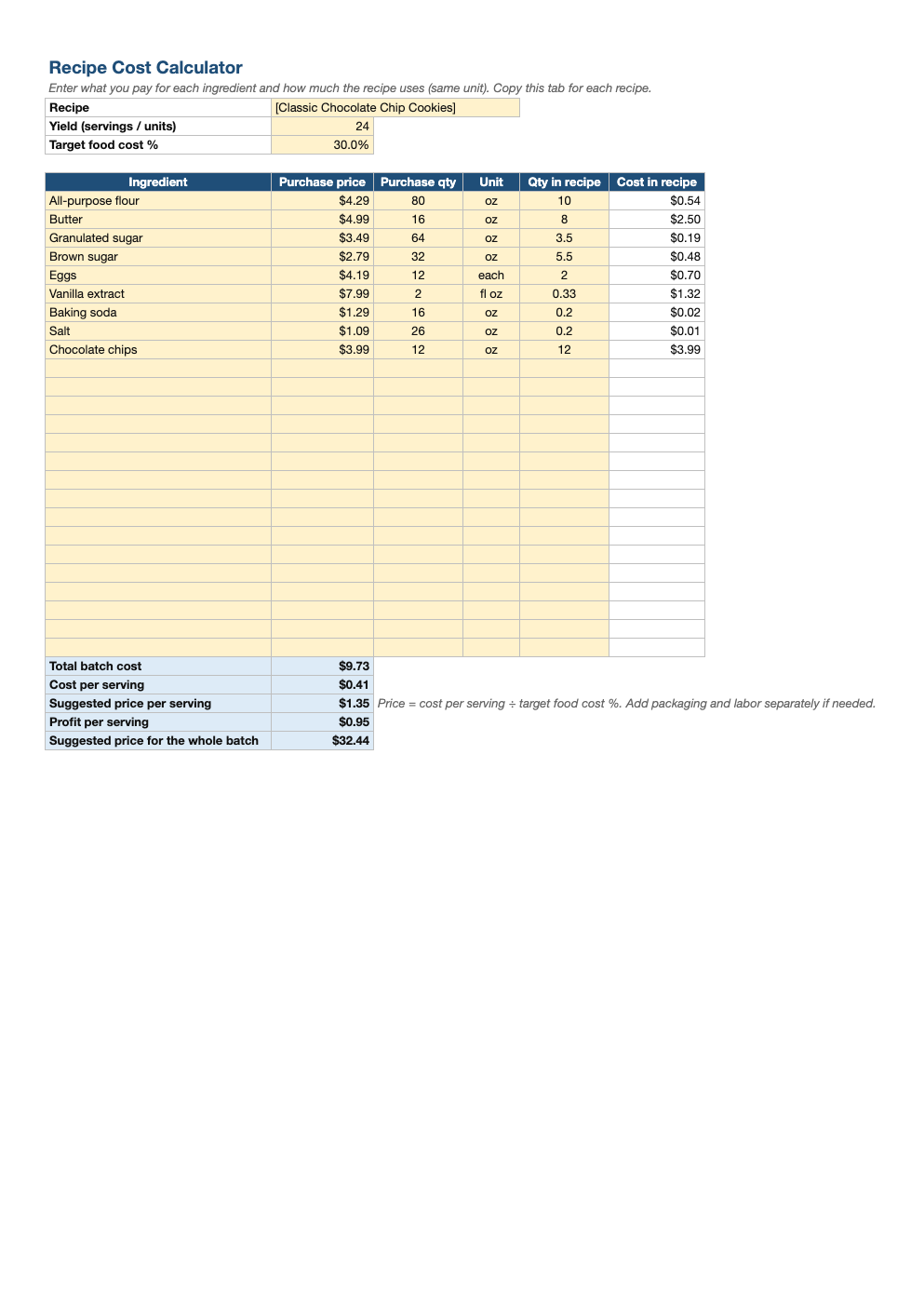
- Up to 25 ingredients with purchase price, purchase quantity and amount used
- Automatic cost of each ingredient in the recipe
- Total batch cost and cost per serving
- Suggested menu price from your target food cost percentage
- Profit per serving and suggested price for the whole batch
Opens in Microsoft Excel, Google Sheets, and LibreOffice. No signup, no watermarks.
How to use this template
Enter the recipe name, how many servings or units it makes, and your target food cost percentage. Many restaurants aim for 25–35%; bakeries and coffee shops often lower.
For each ingredient, enter the price you paid and the package size, then how much of it the recipe uses, in the same unit. For example, a $4.29 bag of flour holding 80 oz, with 10 oz used.
The sheet shows each ingredient's cost, the total batch cost and the cost per serving. The suggested price is the cost per serving divided by your target food cost percentage.
Copy the tab for each recipe and update ingredient prices when supplier costs change. Remember that food cost does not include labor, packaging or overhead; price with those in mind too.
Frequently asked questions
Is this recipe cost calculator really free?
Yes. Download it, use it as often as you like, and share it with your team. No account, no email, no watermark. The site is supported by advertising.
What is a good food cost percentage?
Many restaurants target 28–35%. The right number depends on your labor and overhead costs and your market.
What if my units are different?
Convert to the same unit first (for example ounces). Our cooking converter helps with cups, grams and spoons.
Does it work in Google Sheets?
Yes. Upload the .xlsx to Google Drive and open it with Google Sheets; the formulas, dropdowns and conditional formatting carry over. It also works in LibreOffice Calc and Apple Numbers.