Free Chronological Resume Template
The format recruiters ask for by name. This reverse-chronological layout lists your roles newest-first, so a steady career story reads exactly the way hiring managers expect — clear progression, growing responsibility, and results they can scan in seconds.
What's inside
- Classic reverse-chronological layout: Work Experience up front, newest role first
- Role headers with job title, company, location, and dates in a scannable single line
- Bullet placeholders that coach you to lead with action verbs and quantify every win
- Professional Summary, Core Skills, Education, and Certifications sections
- Single-column, text-box-free design that parses cleanly in applicant tracking systems
- Clean typography with a restrained accent color — prints in black and white without loss
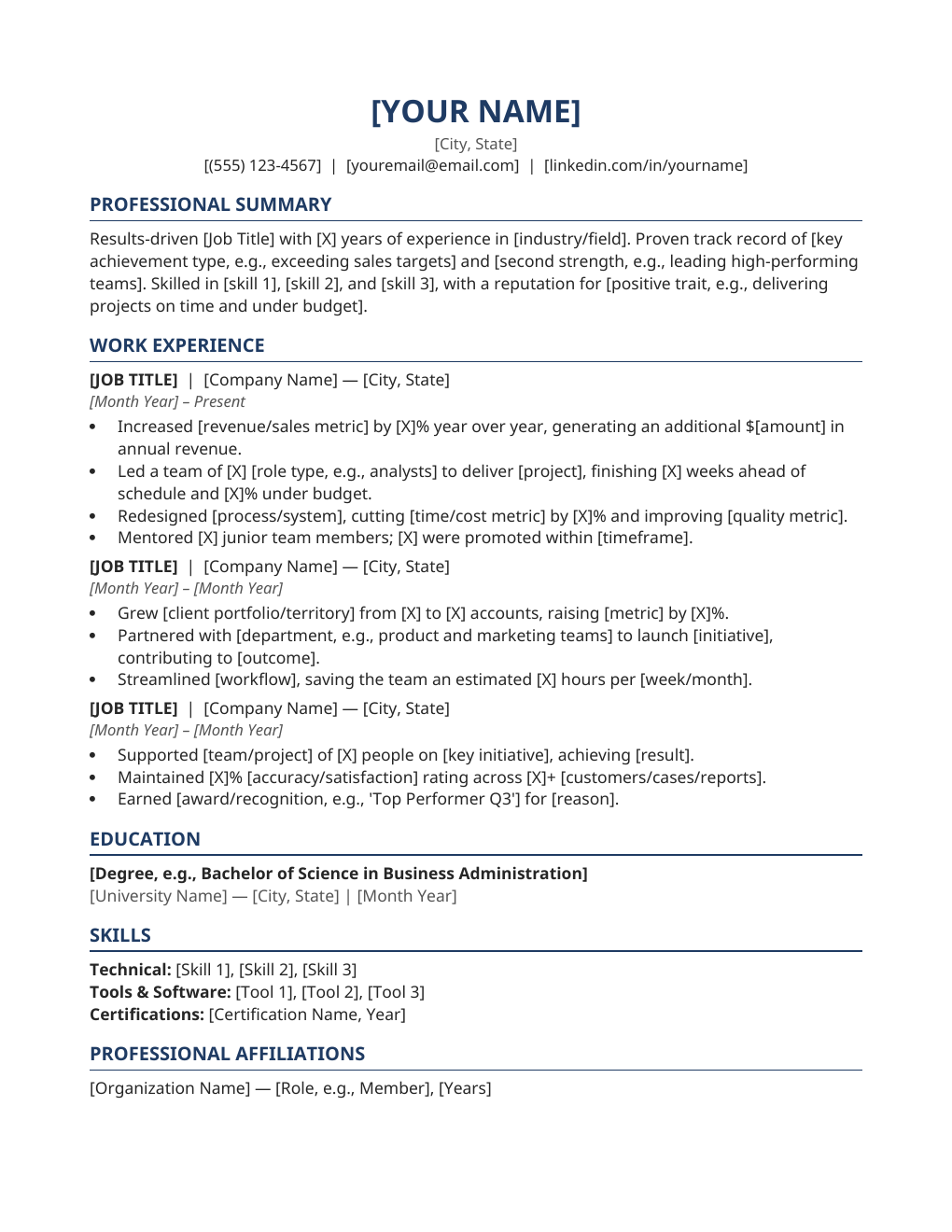
Opens in Microsoft Word, Google Docs, and LibreOffice. No signup, no watermarks.
How to use this template
Start with your current or most recent role and work backwards — that newest-first order is the whole point of the chronological format, and it is what recruiters scan first. Replace the bracketed placeholders with your titles, companies, locations, and dates, keeping the same clean one-line format for every role.
Under each role, write three to five bullets that read like proof, not job description. Lead with a strong verb (Led, Rebuilt, Negotiated, Scaled), describe what you did, and land on the measurable outcome: "cut support tickets 31%," "grew pipeline $2.4M," "shipped 9 releases on schedule." Numbers are what turn experience into evidence.
Keep the oldest roles brief — one or two bullets for anything older than ten years, and consider dropping the earliest entirely if the page runs long. Export your finished resume as a PDF before submitting; the layout holds on every screen and in every ATS that way.
Frequently asked questions
Why is the chronological format the default choice?
Because it is the format recruiters and ATS software know best: a clear newest-first work history makes career progression, tenure, and relevance obvious at a glance. Use it whenever your recent experience supports the role you want.
How far back should my work history go?
Ten to fifteen years is plenty for most roles. Summarize or drop earlier positions; they add pages without adding signal. If an early role is uniquely relevant, keep one bullet for it.
Is this template ATS-friendly?
Yes — single-column layout, standard section headings, no text boxes, tables, or graphics. That is exactly what applicant tracking systems parse reliably.
Can I customize the fonts and accent color?
Absolutely. Everything is built with Word styles, so one change updates the whole document. Stick to one professional font and one accent color for a polished result.