Free Functional Resume Template
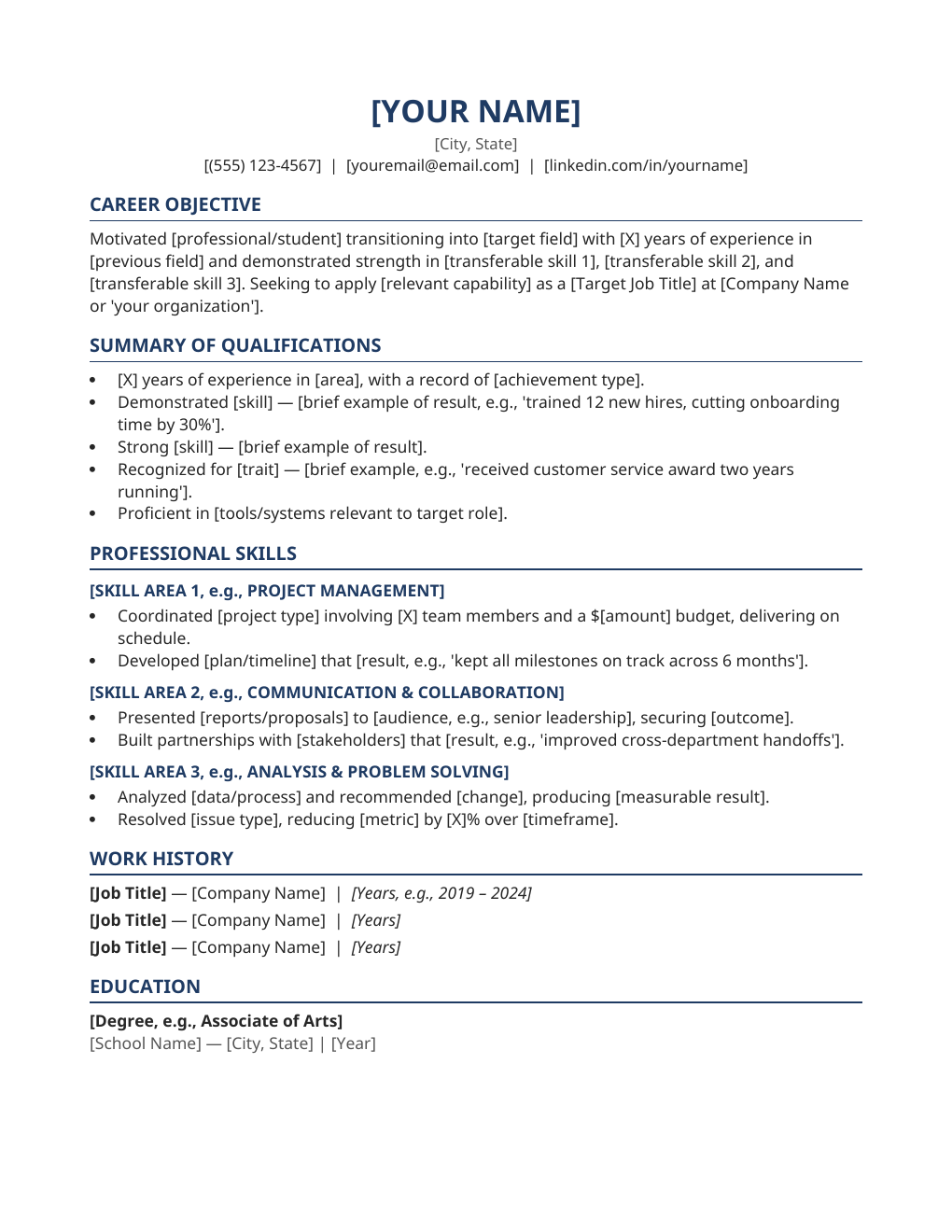
Changing careers or returning after time away? This skills-first layout puts your capabilities at the top of the page, so recruiters see what you can do before they notice the timeline. De-emphasized dates keep the focus on your strengths.
What's inside
- Skills-first layout: grouped capability clusters above the work history
- De-emphasized dates so employment gaps and career pivots do not dominate the page
- Placeholder clusters for three to four skill areas, each with achievement bullets
- Concise employment summary listing employers and titles without a full timeline
- Education and Certifications sections placed to reinforce your target role
- Clean single-column design — no text boxes or graphics, so it stays ATS-parseable
Opens in Microsoft Word, Google Docs, and LibreOffice. No signup, no watermarks.
How to use this template
Pick three to four skill clusters that match the job you want — for example Project Leadership, Data Analysis, or Client Relations — and rename the placeholders. Under each cluster, add two or three bullets proving the skill with results drawn from any job, volunteer work, freelancing, or coursework. What matters is the evidence, not where it happened.
The employment summary below simply lists where you have worked, without a detailed timeline. Keep it honest: list every role you want counted, with years only, and be ready to discuss gaps confidently in an interview — the cover letter is the better place to narrate the pivot.
Tailor the skill clusters to each application. Mirror the language of the job posting in your headings, and export the finished resume as a PDF so formatting holds on every screen.
Frequently asked questions
Who should use a functional resume?
Career changers, people returning after a gap, freelancers with project-based work, and anyone whose strongest selling points are transferable skills rather than a linear job history. If your recent titles do not match your target role, this format works in your favor.
Do recruiters like functional resumes?
Some prefer chronological formats, so this style works best when you have a reason for it — a career change, a gap, or a pivot. A strong cover letter alongside it removes any doubt about your direction.
Is this template ATS-friendly?
Yes — it uses a single-column layout, standard headings, and no text boxes or graphics, which applicant tracking systems parse best. Keep the skill headings as plain text so keywords get picked up.
How do I address employment gaps?
Briefly and confidently. The template's de-emphasized dates keep the focus on skills, and your cover letter can explain the gap in one or two sentences. Never fabricate dates or titles — honesty always survives the background check.