Free Project Budget Template for Excel
Keep any project on budget. List costs by phase, compare estimates with actuals as invoices arrive, and watch variance, contingency and remaining budget update automatically.
What's inside
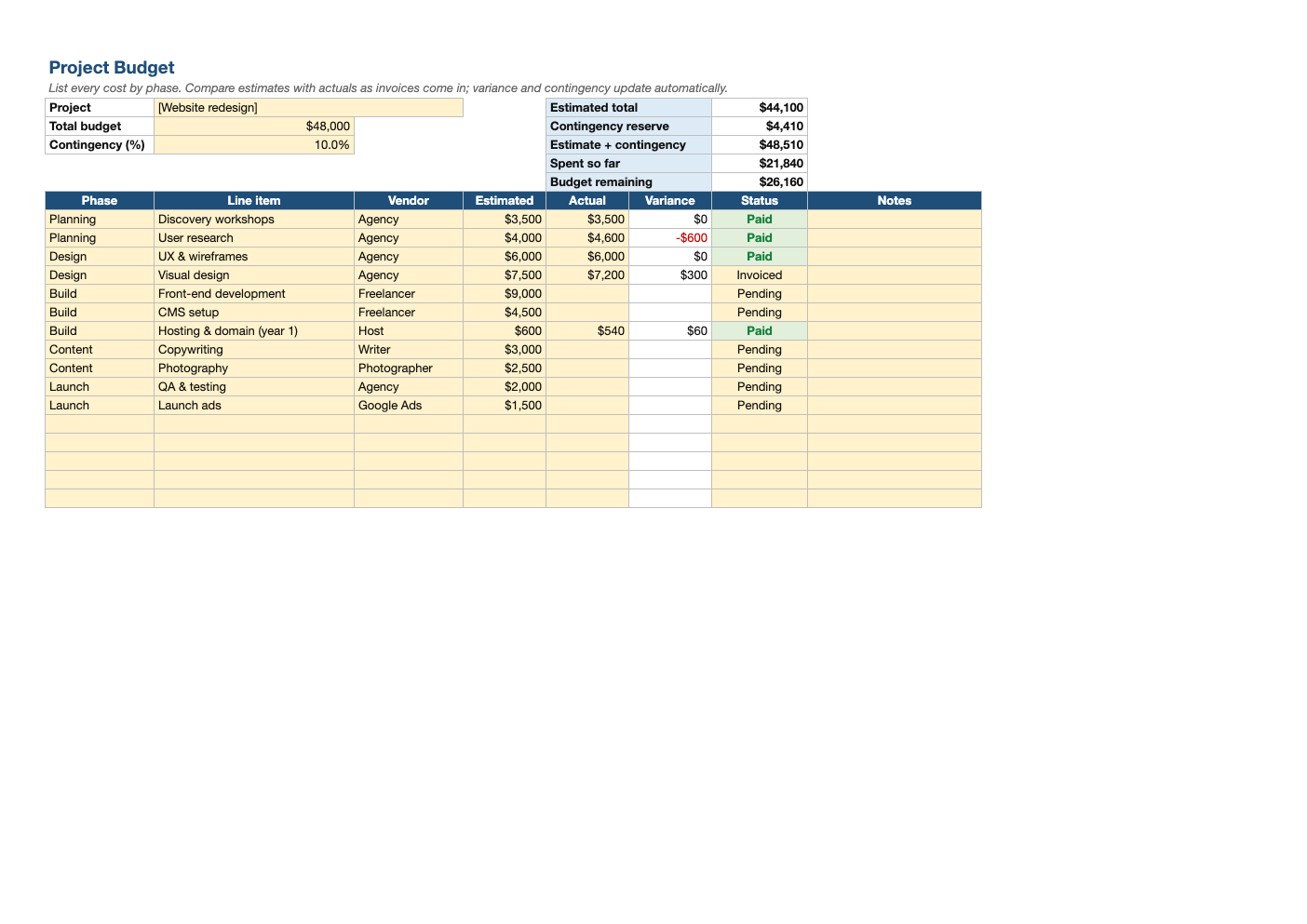
- 40 line items with phase, vendor, estimate, actual and status
- Automatic variance per line, negative overruns in red
- Contingency reserve as a percentage of estimates
- Summary: estimated total, contingency, spent so far and budget remaining
- Status dropdown: Pending, Invoiced, Paid
Opens in Microsoft Excel, Google Sheets, and LibreOffice. No signup, no watermarks.
How to use this template
Enter the total approved budget and a contingency percentage. 10–15% is typical, more for projects with many unknowns.
List every expected cost by phase, then record actuals as you are invoiced.
Review variance weekly. Small overruns early are a warning sign; decide whether to cut scope elsewhere or draw on contingency.
Pair it with our Gantt chart template so the schedule and budget stay in step.
Frequently asked questions
Is this project budget template really free?
Yes. Download it, use it as often as you like, and share it with your team. No account, no email, no watermark. The site is supported by advertising.
How much contingency should a project have?
Commonly 5–10% for well-understood work and 15–25% for projects with significant unknowns.
What is budget variance?
Estimated cost minus actual cost. Negative variance means you spent more than planned.
Does it work in Google Sheets?
Yes. Upload the .xlsx to Google Drive and open it with Google Sheets; the formulas, dropdowns and conditional formatting carry over. It also works in LibreOffice Calc and Apple Numbers.