Free Gantt Chart Template for Excel
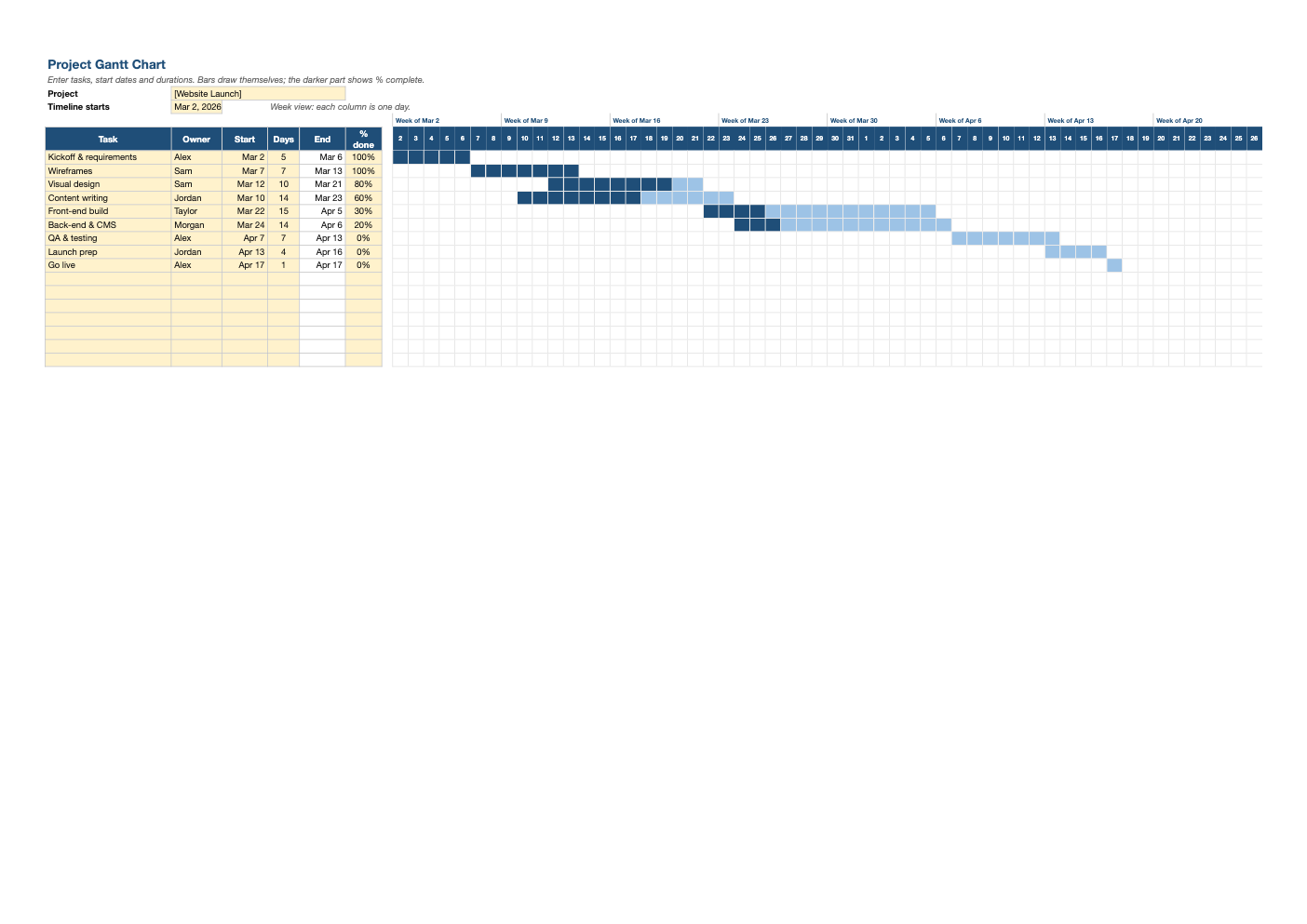
Plan a project on one page. List tasks with start dates and durations and the bars draw themselves across an 8-week timeline, with the completed portion shaded darker so progress is obvious at a glance.
What's inside
- 25 task rows with owner, start date, duration, end date and % complete
- 8-week day-by-day timeline with "Week of" labels that follow your start date
- Bars drawn automatically by conditional formatting, no charts to fiddle with
- Darker shading for completed work and a highlight on today's date
- Frozen task columns so names stay visible as you scroll
Opens in Microsoft Excel, Google Sheets, and LibreOffice. No signup, no watermarks.
How to use this template
Set the timeline start date at the top. Then list your tasks in order, with an owner, a start date and a duration in days. The end date calculates for you and a bar appears across the matching days.
Update % complete as work progresses. The bar fills in dark blue from the left in proportion to the work done, so a quick glance shows which tasks are on track. Today's date is tinted on the timeline so you can see whether completed work keeps up with the calendar.
To show dependencies, start each task on or after the end date of the task it depends on. You can type a formula such as =E8+1 into a start cell so a task automatically moves when its predecessor slips.
For longer projects, change the timeline start date to scroll the 8-week window forward, or copy the day columns to extend it. Keep task names short and verb-first ("Write copy", "Test checkout") so the chart is readable in a status meeting.
Frequently asked questions
Is this Gantt chart template really free?
Yes. Download it, use it as often as you like, and share it with your team. No account, no email, no watermark. The site is supported by advertising.
Can I show weekends differently?
The timeline counts calendar days. If your team only works weekdays, add a day or two to durations that span a weekend, or adjust the dates directly.
How do I add more tasks?
Use the 25 prepared rows, or copy the last row down. The bar formatting extends to new rows when you copy formats.
Does it work in Google Sheets?
Yes. Upload the .xlsx to Google Drive and open it with Google Sheets; the formulas, dropdowns and conditional formatting carry over. It also works in LibreOffice Calc and Apple Numbers.