Free Event Budget Template for Excel
Plan a party, fundraiser, reunion or company event without surprises. Estimate every cost, track deposits and what you actually spend, and see the cost per guest.
What's inside
- Categories for venue, food and drink, decor, entertainment, photography, rentals, printing and more
- Estimated vs actual with automatic variance
- Status for each vendor: Pending, Deposit paid, Paid
- Summary with total estimate, spent so far, budget remaining and cost per guest
- Over-budget warnings in red
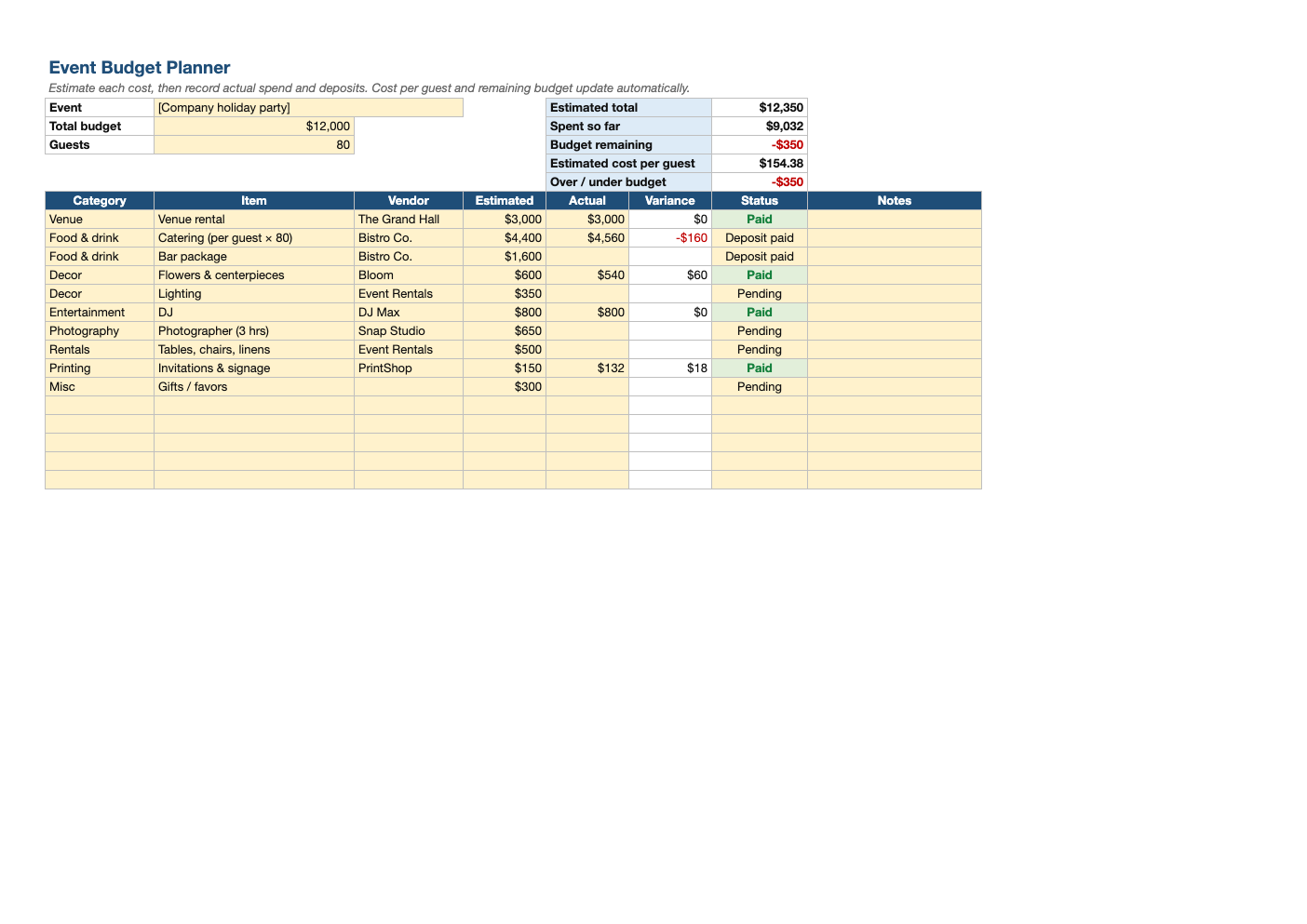
Opens in Microsoft Excel, Google Sheets, and LibreOffice. No signup, no watermarks.
How to use this template
Set the total budget and guest count, then list each cost with an estimate. Catering is usually the biggest line, so get per-guest quotes early.
Update actuals and status as you pay deposits and final balances.
If the summary turns red, adjust the guest count, menu or extras before signing more contracts.
Pair it with our guest list and RSVP tracker so the headcount stays accurate.
Frequently asked questions
Is this event budget template really free?
Yes. Download it, use it as often as you like, and share it with your team. No account, no email, no watermark. The site is supported by advertising.
What should an event budget include?
Venue, food and drink, decor, entertainment, photography, rentals, printing, staff and a buffer for unexpected costs.
How much buffer should I keep?
About 10% of the total for last-minute costs.
Does it work in Google Sheets?
Yes. Upload the .xlsx to Google Drive and open it with Google Sheets; the formulas, dropdowns and conditional formatting carry over. It also works in LibreOffice Calc and Apple Numbers.