Free Sinking Funds Tracker Template
Stop irregular expenses from wrecking your budget. Set up a fund for each predictable cost, log deposits and withdrawals, and the tracker shows how much to save each month to be ready on time.
What's inside
- Up to 20 funds with a goal and due date
- Saved, remaining, months left and save-per-month for each fund
- Progress percentage, highlighted when a fund is complete
- Deposit and withdrawal log with a fund dropdown
- Totals across all funds
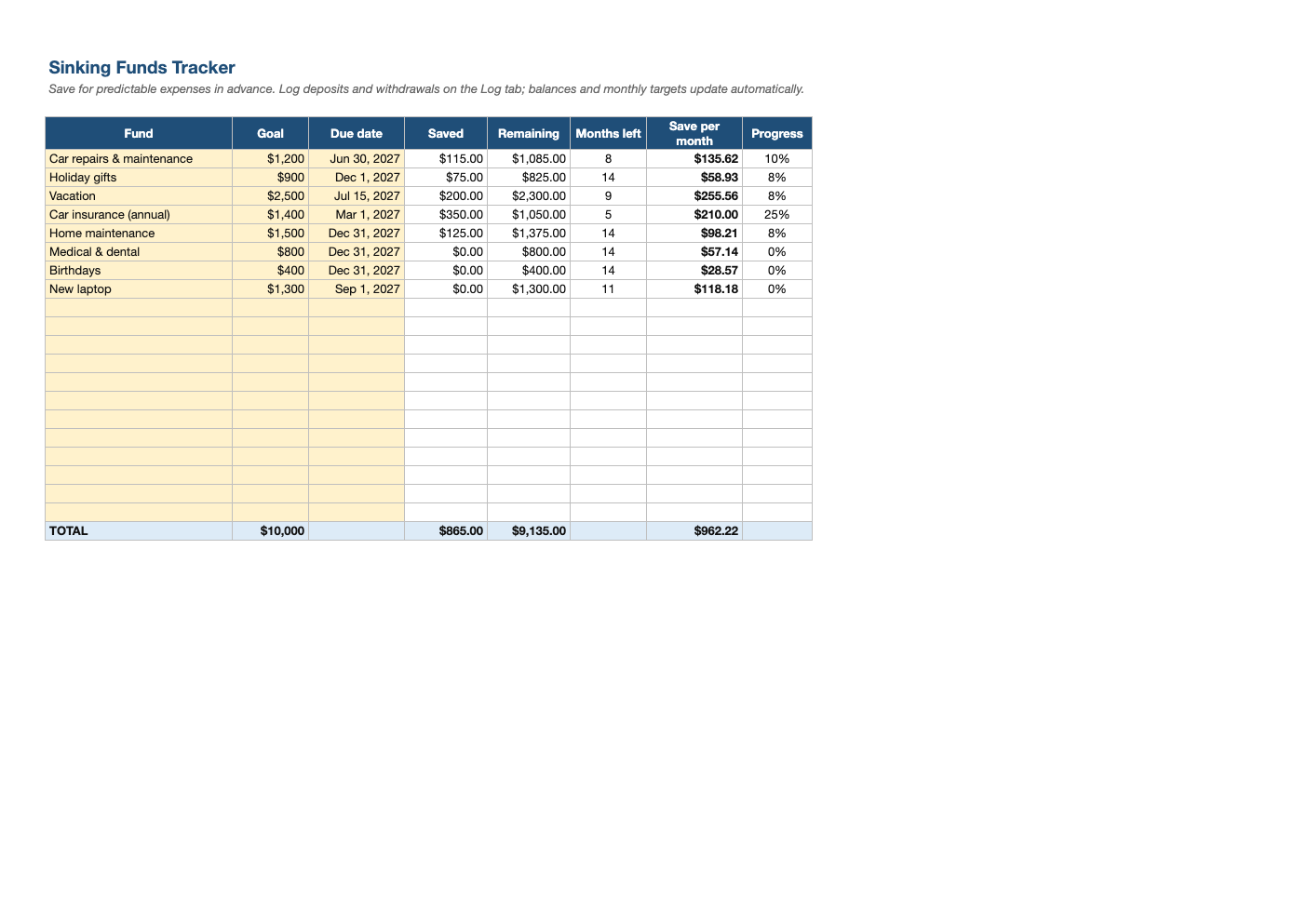
Opens in Microsoft Excel, Google Sheets, and LibreOffice. No signup, no watermarks.
How to use this template
List the predictable costs you usually forget to budget for: car insurance, registration, holiday gifts, vacations, annual subscriptions, back-to-school, vet bills.
Enter a goal and due date for each. The tracker divides what is left by the months remaining to give a monthly target.
Log every deposit on the Log tab, and enter spending as a negative amount when you use the fund.
Add the total monthly target to your budget as a single line, and keep the money in a separate savings account (or buckets) so it is not spent by accident.
Frequently asked questions
Is this sinking funds tracker really free?
Yes. Download it, use it as often as you like, and share it with your team. No account, no email, no watermark. The site is supported by advertising.
What is a sinking fund?
Money set aside a little at a time for a known future expense, so it does not become an emergency.
Sinking fund vs emergency fund?
Sinking funds cover expected costs; an emergency fund covers the unexpected, like job loss or a big repair.
Does it work in Google Sheets?
Yes. Upload the .xlsx to Google Drive and open it with Google Sheets; the formulas, dropdowns and conditional formatting carry over. It also works in LibreOffice Calc and Apple Numbers.