Free Small Business Bookkeeping Template
Simple bookkeeping without accounting software. Log each sale and expense on one ledger, pick a category from the dropdown, and the Summary tab builds a month-by-month income statement for you.
What's inside
- Ledger with date, description, type, category, amount, payment method and receipt tracking
- 500 rows with dropdowns for type, category and receipt status
- Categories modeled on IRS Schedule C lines; edit the list on the Categories tab
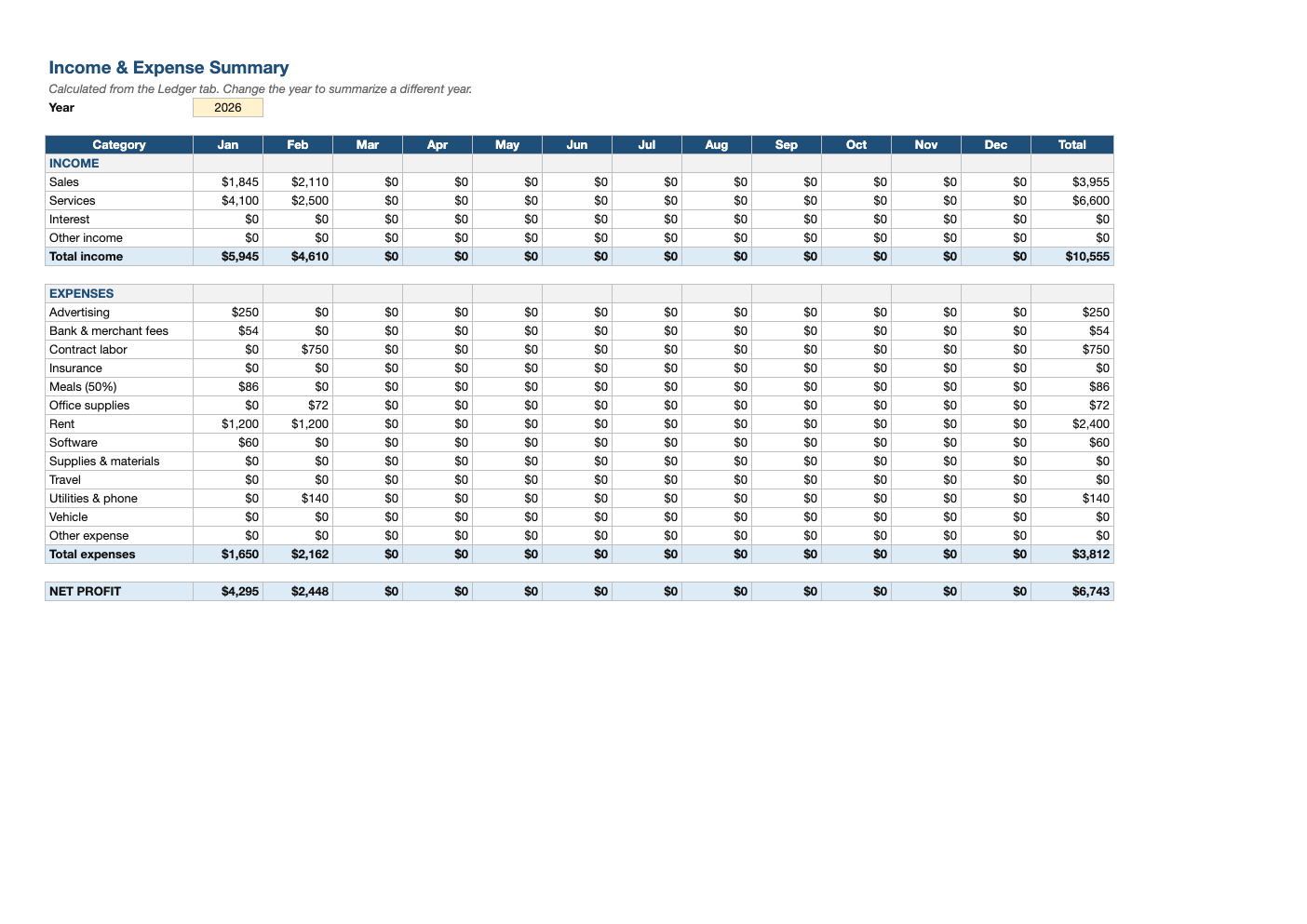
- Summary tab with monthly totals by category, total income, total expenses and net profit
- Year selector so one file can summarize any year
Opens in Microsoft Excel, Google Sheets, and LibreOffice. No signup, no watermarks.
How to use this template
Every time money comes in or goes out of the business, add a row to the Ledger: the date, a short description, whether it is income or an expense, the category and the amount. Use the Receipt column to track which expenses still need documentation.
The categories follow the expense lines on IRS Schedule C, the form sole proprietors and single-member LLCs file, so at tax time you can copy the annual totals straight across. Change or add categories on the Categories tab and they appear in the dropdown automatically.
The Summary tab totals every category by month using SUMIFS, then shows total income, total expenses and net profit for each month and the year. Set the year cell at the top to summarize a different year from the same ledger.
Do it weekly: download your bank and card transactions, enter them, and file receipts. Thirty minutes a week beats a shoebox of receipts in April. Keep business and personal spending in separate accounts and this ledger stays clean and audit-friendly.
Frequently asked questions
Is this bookkeeping template really free?
Yes. Download it, use it as often as you like, and share it with your team. No account, no email, no watermark. The site is supported by advertising.
Is a spreadsheet good enough for bookkeeping?
For a freelancer or small sole proprietorship with a modest number of transactions, yes. Once you have employees, inventory or many invoices, accounting software that connects to your bank will save time.
Why are meals labeled 50%?
Most business meals are only 50% deductible. Enter the full amount and remember to deduct half, or enter half if you prefer the ledger to show the deductible portion.
Does it work in Google Sheets?
Yes. Upload the .xlsx to Google Drive and open it with Google Sheets; the formulas, dropdowns and conditional formatting carry over. It also works in LibreOffice Calc and Apple Numbers.