Free Weight Loss Tracker Template (Excel)
Track progress the simple way: one weigh-in a week. The tracker shows weekly and total change, BMI, and how close you are to your goal.
What's inside
- Starting weight, goal weight, height and start date
- Two years of weekly rows with dates filled in
- Weekly change and total change, color-coded
- BMI for each weigh-in
- Current weight, lost so far, to go, progress and BMI summary
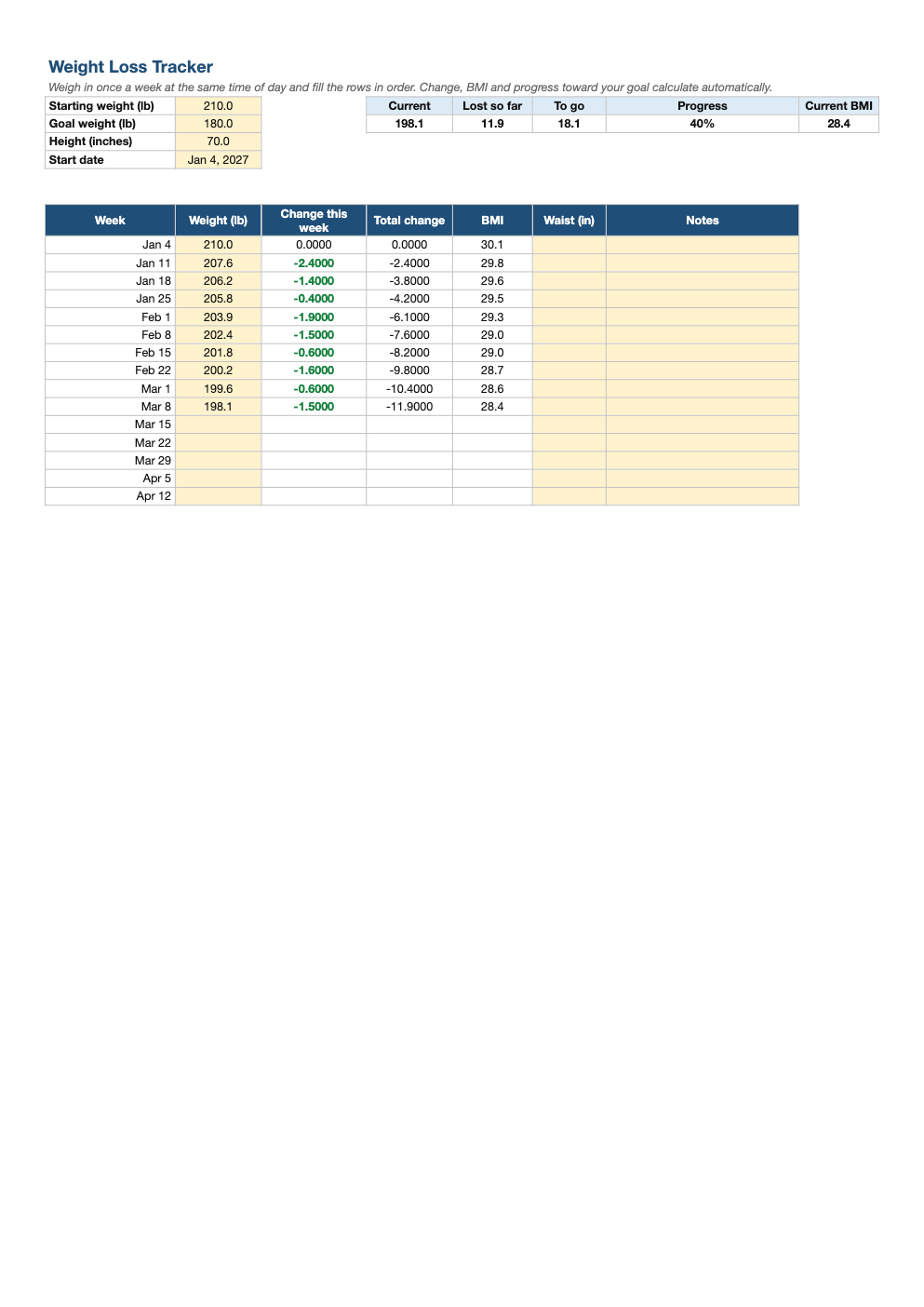
Opens in Microsoft Excel, Google Sheets, and LibreOffice. No signup, no watermarks.
How to use this template
Enter your starting weight, goal and height (in inches), plus the start date.
Weigh in once a week, same day, same time (morning after the bathroom is most consistent), and record it in the next row.
Expect ups and downs: water and food can swing daily weight by 2–4 pounds. The weekly trend is what matters. Waist measurement is a useful second signal.
Healthy, sustainable loss for most people is about 0.5–2 pounds a week. Pair it with our macro calculator to set daily targets.
Frequently asked questions
Is this weight loss tracker really free?
Yes. Download it, use it as often as you like, and share it with your team. No account, no email, no watermark. The site is supported by advertising.
How often should I weigh myself?
Weekly is plenty for tracking trends; some people prefer daily weigh-ins averaged over the week.
Is BMI accurate?
It is a rough screening tool that does not separate muscle from fat. Body fat percentage and waist size add context.
Does it work in Google Sheets?
Yes. Upload the .xlsx to Google Drive and open it with Google Sheets; the formulas, dropdowns and conditional formatting carry over. It also works in LibreOffice Calc and Apple Numbers.