Free Workout Log Template for Excel
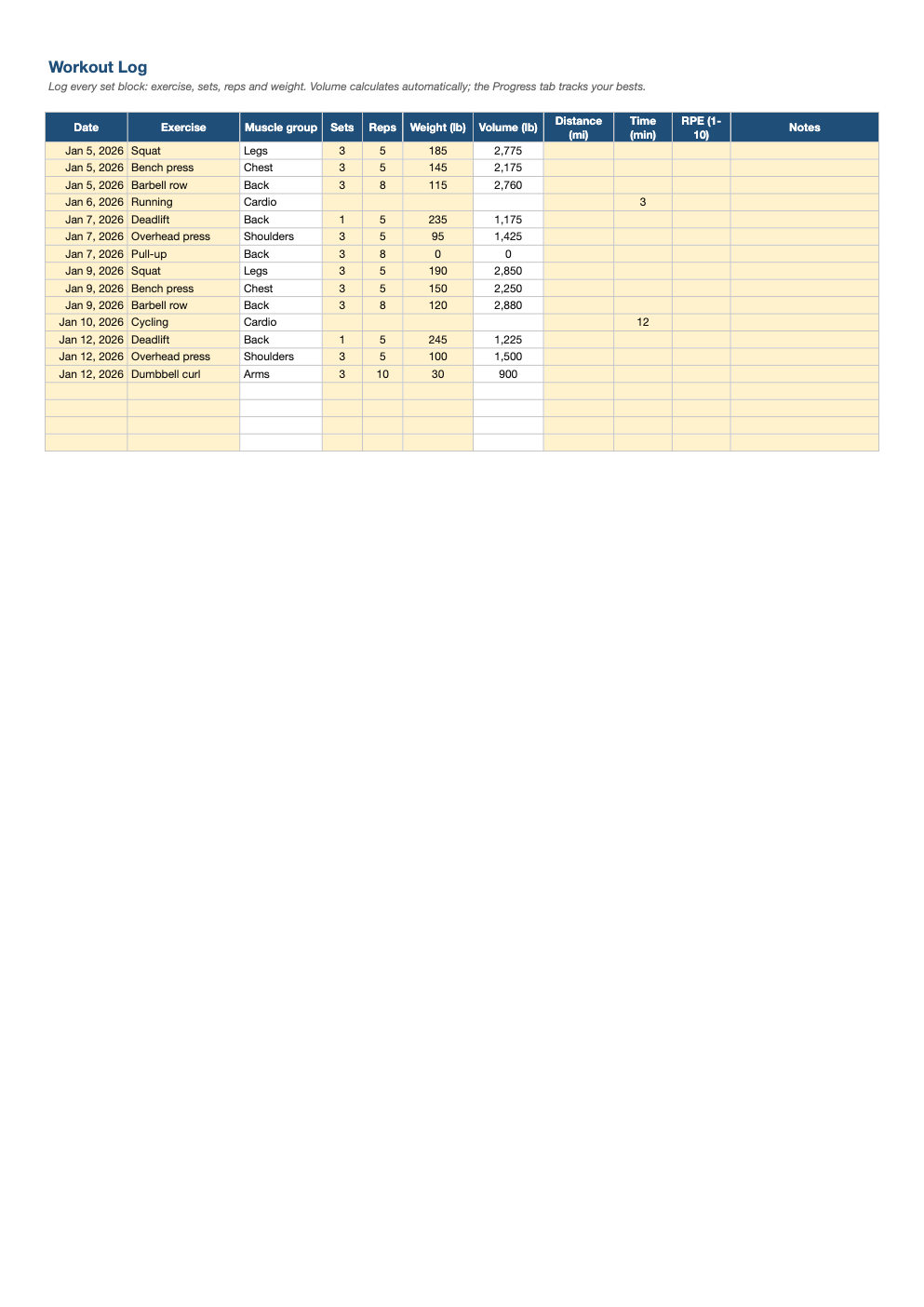
Track every lift and run in one place. Log sets, reps and weight (or distance and time), and the Progress tab shows your sessions, best weight, total volume and last workout for every exercise.
What's inside
- Workout log with 500 rows: date, exercise, muscle group, sets, reps, weight, distance, time, effort and notes
- Exercise dropdown with automatic muscle group lookup
- Training volume (sets × reps × weight) calculated for each entry
- Progress tab with sessions, best weight, total volume, total distance and last date per exercise
- Editable exercise list: add your own movements on the Exercises tab
Opens in Microsoft Excel, Google Sheets, and LibreOffice. No signup, no watermarks.
How to use this template
Each row is one exercise in one session. Pick the exercise from the dropdown, and the muscle group fills in. For strength work, enter sets, reps and weight; volume calculates automatically. For cardio, enter distance and time instead.
Use the RPE column (rate of perceived exertion, 1–10) to note how hard a set felt. Over time it helps you decide when to add weight: if 3 sets of 5 felt like a 7 last week, it is probably time to go up.
The Progress tab summarizes every exercise: how many times you have done it, your heaviest weight, total volume lifted and distance covered, and when you last trained it. It is the quickest way to spot progress, or a lift you have been neglecting.
Add your own exercises to the Exercises tab and they appear in the dropdown and on the Progress tab. Progressive overload, small regular increases in weight, reps or distance, is the core of getting stronger, and a log is the only reliable way to make sure it is happening.
Frequently asked questions
Is this workout log really free?
Yes. Download it, use it as often as you like, and share it with your team. No account, no email, no watermark. The site is supported by advertising.
Does the Progress tab work in older Excel versions?
Best weight and last date use the MAXIFS function, available in Excel 2019, Excel for Microsoft 365, Google Sheets and LibreOffice. Other columns work in any version.
Can I log bodyweight exercises?
Yes. Enter 0 (or your added weight) in the weight column; sets and reps are still tracked.
Does it work in Google Sheets?
Yes. Upload the .xlsx to Google Drive and open it with Google Sheets; the formulas, dropdowns and conditional formatting carry over. It also works in LibreOffice Calc and Apple Numbers.