Free Book Report Template
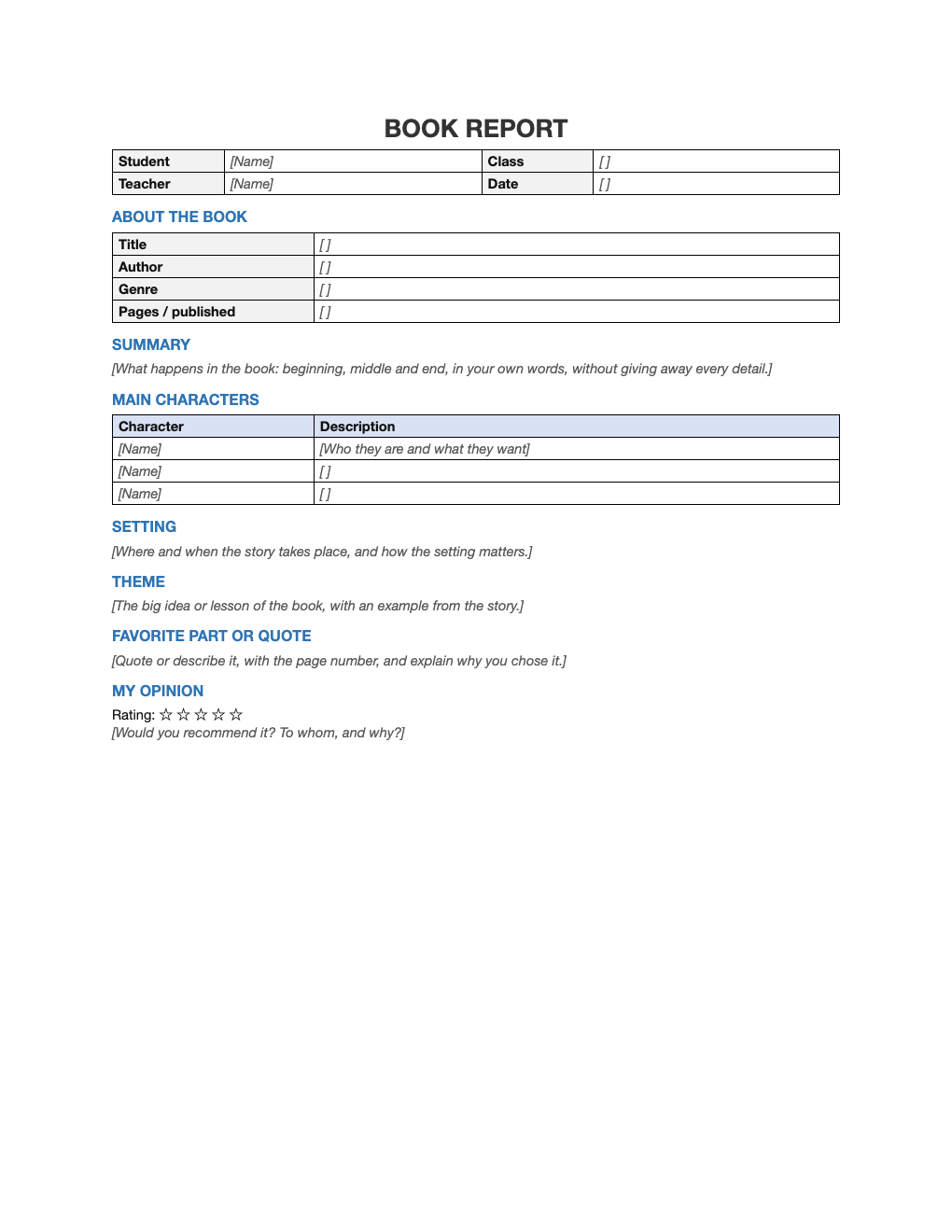
A clear structure for writing about any book: details, summary, characters, setting, theme, a favorite passage and an honest recommendation.
What's inside
- Student, class, teacher and date
- Title, author, genre and pages
- Summary, characters table and setting
- Theme and favorite part or quote
- Opinion with a five-star rating
Opens in Microsoft Word, Google Docs, Apple Pages, and LibreOffice. No signup, no watermarks.
How to use this template
Take quick notes on characters and memorable quotes (with page numbers) while you read.
Write the summary in your own words: beginning, middle and end, without retelling every scene.
For the theme, name the big idea and back it up with an example from the book.
Check your teacher's requirements and add or remove sections to match.
Frequently asked questions
Is this book report template really free?
Yes. Download it, use it as often as you like, and share it with your team. No account, no email, no watermark. The site is supported by advertising.
What is the difference between a summary and a theme?
A summary says what happens; a theme is the message or big idea behind it.
How long should a book report be?
It depends on the grade and assignment; this template fits about one to two pages.
Can I use it in Google Docs?
Yes. Upload the .docx to Google Drive and open it with Google Docs, or open it in Apple Pages or LibreOffice Writer. The layout and tables carry over.