Free Receipt Template for Word
Give customers a professional receipt for every payment. Fill in your business details, the items sold and how they paid, then print it or save it as a PDF.
What's inside
- Receipt number and date header
- Business (from) and customer (received from) blocks side by side
- Itemized table with quantity, description, unit price and amount
- Subtotal, tax, total, amount paid and balance due rows
- Payment method line, notes, thank-you line and signature
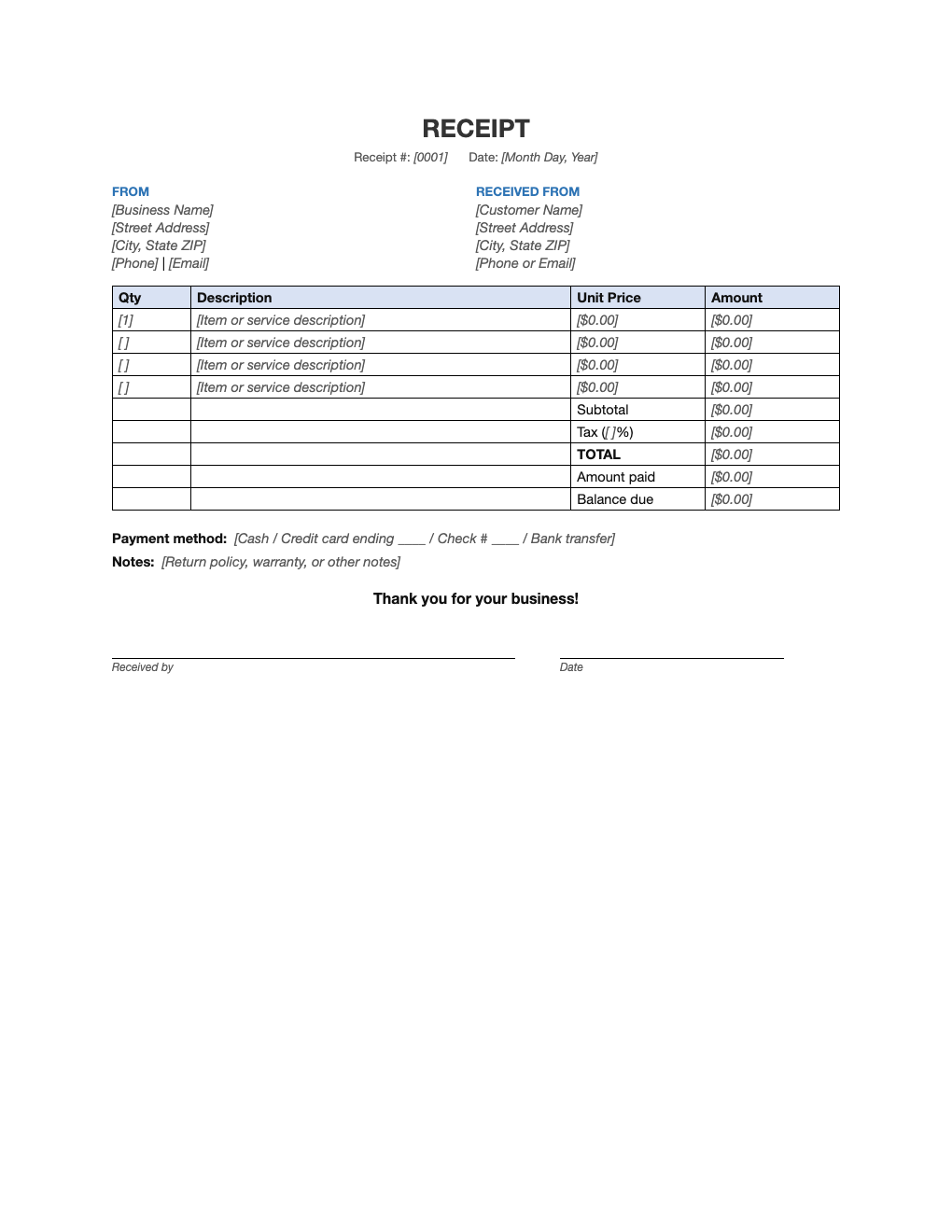
Opens in Microsoft Word, Google Docs, Apple Pages, and LibreOffice. No signup, no watermarks.
How to use this template
Replace the bracketed gray placeholders with your details. Save a copy with your business name and address already filled in, so each new receipt only needs the customer and items.
Number receipts sequentially (0001, 0002, …) so you can match them to your books. The same number should appear in your bookkeeping ledger or sales tracker.
For partial payments, enter what was paid in "Amount paid" and the remainder in "Balance due". For cash payments, always sign the receipt; for card payments, note the last four digits.
Save each receipt as a PDF (File > Save As > PDF) to email it, and keep a copy for at least as long as your tax records, generally three years or more.
Frequently asked questions
Is this receipt template free?
Yes. Download it, customize it with your logo and details, and use it as often as you like. No signup.
What should a receipt include?
Your business name and contact details, the date, a receipt number, what was purchased, the amount, tax, and how it was paid. Those are all built into this template.
How is a receipt different from an invoice?
An invoice asks for payment; a receipt confirms that payment was received. Many businesses send an invoice first and a receipt after the customer pays.
Can I use it in Google Docs?
Yes. Upload the .docx to Google Drive and open it with Google Docs, or open it in Apple Pages or LibreOffice Writer. The layout and tables carry over.