Free SWOT Analysis Template
Size up a business, product, project or career decision. A classic SWOT grid with prompts for each box, plus a section that turns the analysis into actions.
What's inside
- Header for organization, author, date and objective
- Strengths and weaknesses (internal factors)
- Opportunities and threats (external factors)
- Guiding prompts in every box
- Key takeaways and actions list
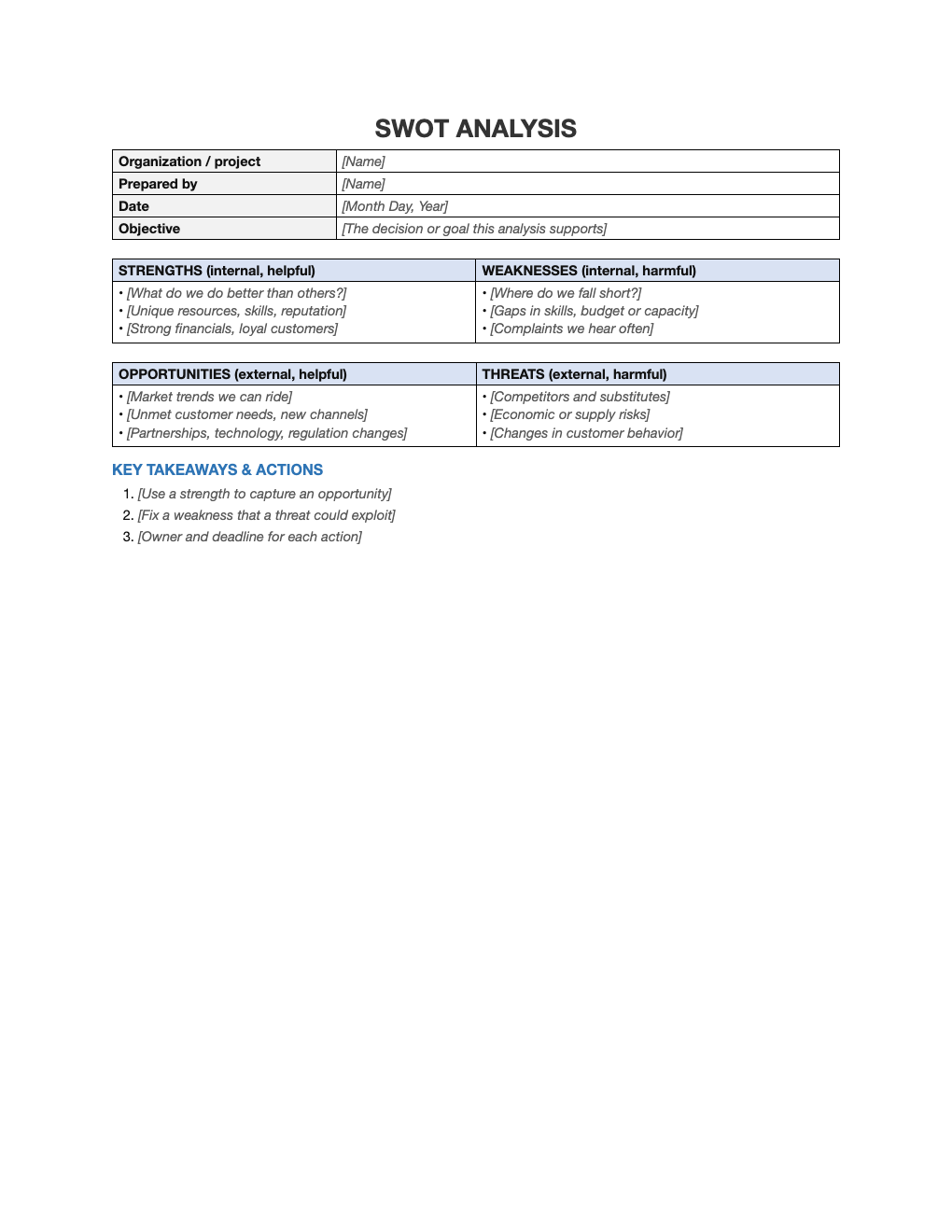
Opens in Microsoft Word, Google Docs, Apple Pages, and LibreOffice. No signup, no watermarks.
How to use this template
Start with a specific objective, such as "Should we launch a second location?"; a SWOT without a decision in mind becomes a generic list.
Strengths and weaknesses are internal and within your control; opportunities and threats are external.
Be honest and specific, and use evidence (numbers, customer feedback) where you can.
Finish with actions: use strengths to seize opportunities, and fix weaknesses that threats could exploit.
Frequently asked questions
Is this SWOT template really free?
Yes. Download it, use it as often as you like, and share it with your team. No account, no email, no watermark. The site is supported by advertising.
What is the difference between weaknesses and threats?
Weaknesses are internal (things you can change); threats are external (things you can only prepare for).
Can I use SWOT for personal decisions?
Yes. It works well for career choices and personal goals.
Can I use it in Google Docs?
Yes. Upload the .docx to Google Drive and open it with Google Docs, or open it in Apple Pages or LibreOffice Writer. The layout and tables carry over.