Free Creative Brief Template
Get better creative work on the first try. A one-page brief that tells designers, writers and agencies exactly what the project needs to achieve, for whom, and by when.
What's inside
- Project, owner, dates, budget and approver
- Background and objective
- Target audience and key message
- Supporting points, tone and mandatories
- Deliverables table, timeline and success metrics
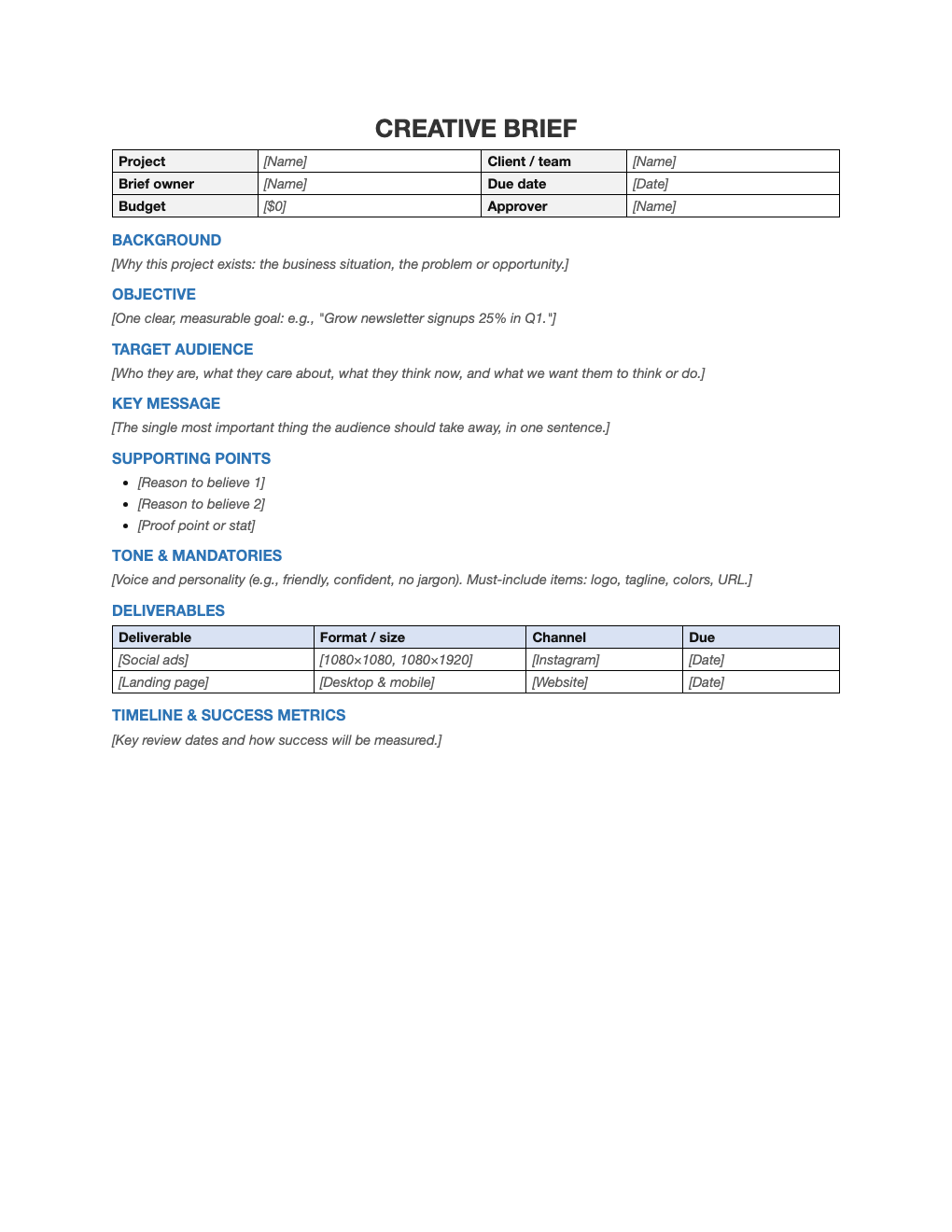
Opens in Microsoft Word, Google Docs, Apple Pages, and LibreOffice. No signup, no watermarks.
How to use this template
Keep the objective measurable and the key message to one sentence. If you cannot, the project is not ready to brief.
Describe the audience as people, including what they think now and what you want them to do.
List every deliverable with its format and channel to avoid surprises at review time.
Share the brief with the whole team and refer back to it in reviews.
Frequently asked questions
Is this creative brief template really free?
Yes. Download it, use it as often as you like, and share it with your team. No account, no email, no watermark. The site is supported by advertising.
How long should a creative brief be?
One to two pages. Brevity forces clarity.
Who writes the brief?
Usually the client, marketer or account lead, with input from the creative team.
Can I use it in Google Docs?
Yes. Upload the .docx to Google Drive and open it with Google Docs, or open it in Apple Pages or LibreOffice Writer. The layout and tables carry over.