Free Accounts Receivable Aging Report Template
See exactly who owes you money and how overdue it is. Log open invoices and payments, and the aging report sorts every balance into current, 1–30, 31–60, 61–90 and 90+ days for each customer.
What's inside
- Invoice list with customer, invoice number, dates, amount, payments and balance
- Days past due and aging bucket calculated as of any date
- Aging summary by customer with totals and percentage in each bucket
- Shading that darkens as balances get older
- Room for 300 invoices and 20 customers
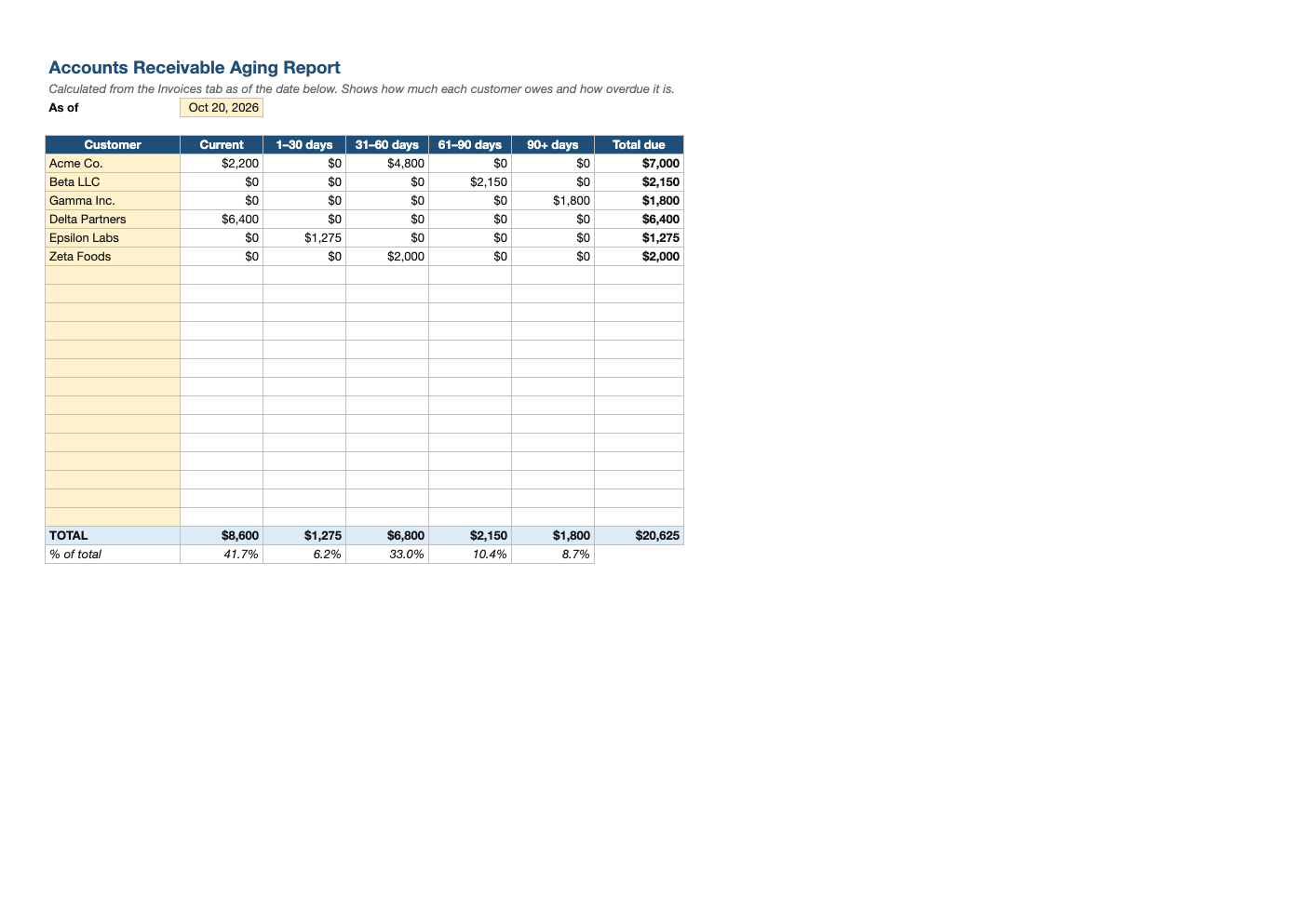
Opens in Microsoft Excel, Google Sheets, and LibreOffice. No signup, no watermarks.
How to use this template
On the Invoices tab, enter every unpaid or partly paid invoice with its date, due date (the template assumes Net 30), amount and payments received.
List your customers on the Aging Summary tab. The as-of date defaults to today; change it to run the report for a month-end.
Work the report from right to left: accounts over 60 days need a personal call, while 1–30 day balances usually just need a reminder.
Review aging weekly. The share of receivables over 60 days is an early warning sign for cash flow; feed expected collections into your cash flow forecast.
Frequently asked questions
Is this AR aging template really free?
Yes. Download it, use it as often as you like, and share it with your team. No account, no email, no watermark. The site is supported by advertising.
What is an aging report?
A summary of unpaid invoices grouped by how long they are past due. It shows which customers to chase and how healthy your receivables are.
What counts as "Current"?
Invoices not yet past their due date.
Does it work in Google Sheets?
Yes. Upload the .xlsx to Google Drive and open it with Google Sheets; the formulas, dropdowns and conditional formatting carry over. It also works in LibreOffice Calc and Apple Numbers.