Free Student Assignment Tracker Template
Never miss a deadline. List every assignment across all your classes, and the tracker counts down the days, flags anything due soon or overdue, and grays out finished work.
What's inside
- Course, assignment, type, priority, due date, status, grade and notes
- Days-left countdown that updates every day
- Overdue work turns red, work due within 3 days turns yellow, done work turns gray
- Summary of open, overdue, due-this-week and completed assignments
- Dropdowns for type, priority and status
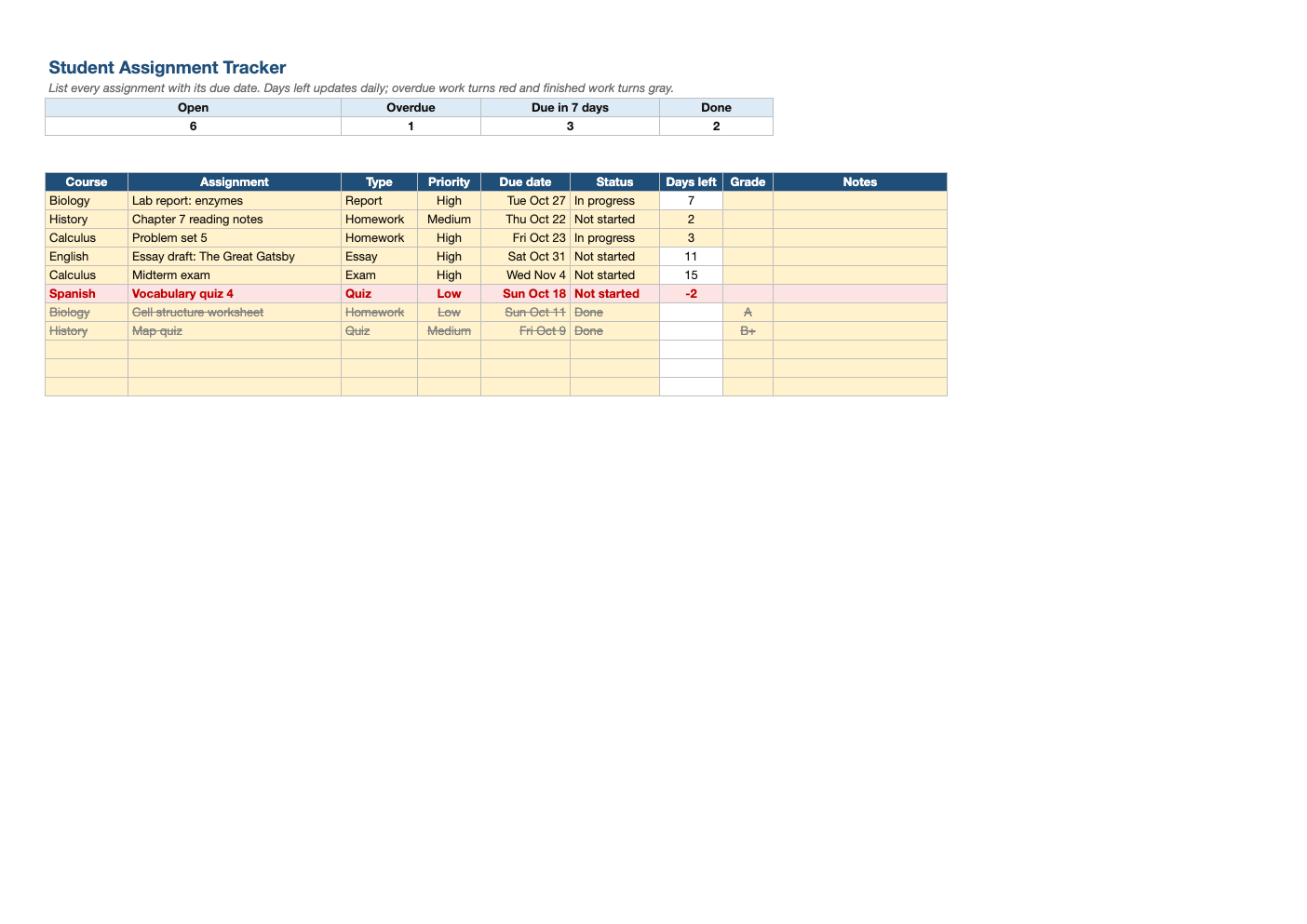
Opens in Microsoft Excel, Google Sheets, and LibreOffice. No signup, no watermarks.
How to use this template
At the start of the term, go through every syllabus and enter all the big deadlines: exams, papers, projects. Add weekly homework as it is assigned.
Update the status as you work: Not started, In progress, Done. The days-left column and colors update automatically every time you open the file.
Sort by due date (Data > Sort) to plan your week, or by priority when everything is due at once. The counts at the top give a quick sense of your workload.
Record grades when work comes back; it is an easy way to keep track of how each class is going. Pair it with our final grade calculator near the end of the term.
Frequently asked questions
Is this assignment tracker really free?
Yes. Download it, use it as often as you like, and share it with your team. No account, no email, no watermark. The site is supported by advertising.
Does it update automatically?
Yes. Days left uses today's date, so the countdown and overdue highlighting refresh whenever you open the file.
Can I use it on my phone?
Yes. Open it in Google Sheets or the Excel mobile app.
Does it work in Google Sheets?
Yes. Upload the .xlsx to Google Drive and open it with Google Sheets; the formulas, dropdowns and conditional formatting carry over. It also works in LibreOffice Calc and Apple Numbers.