Free Teacher Gradebook Template for Excel
A weighted gradebook that does the math for you. Set category weights, tag each assignment, enter scores, and every student's category averages, overall grade and letter grade update instantly.
What's inside
- 30 students × 10 assignments, each with a category and points possible
- Category weights (Homework, Quiz, Test, Project) you can change
- Per-student category averages, weighted overall percentage and letter grade
- Missing scores are skipped rather than counted as zero
- Class average for every assignment and category
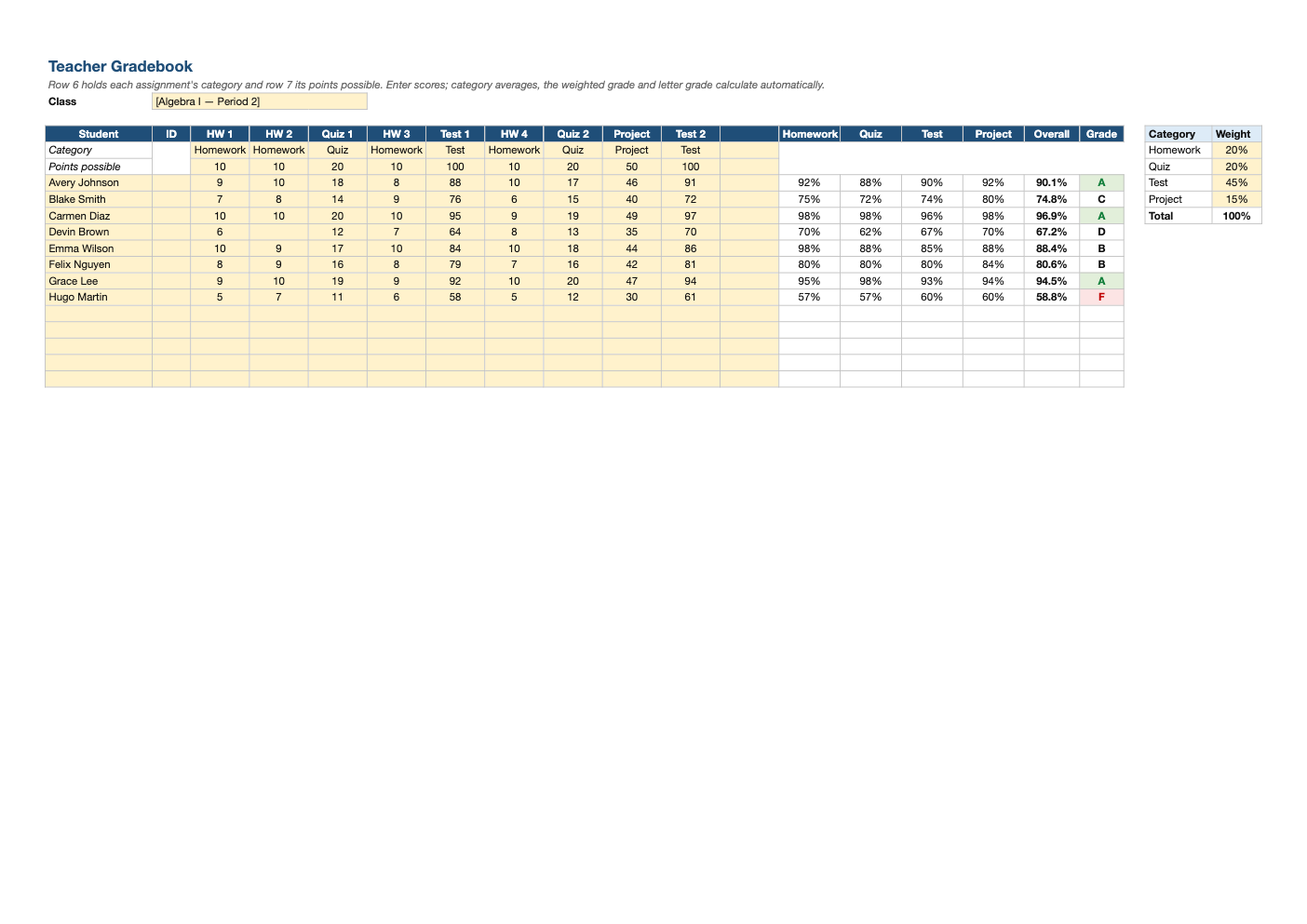
Opens in Microsoft Excel, Google Sheets, and LibreOffice. No signup, no watermarks.
How to use this template
Set your category weights in the box on the right (they should add to 100%). Then name each assignment in the header row, pick its category from the dropdown, and enter the points possible.
Enter student names and scores. Leave a cell blank for work that is excused or not yet graded; blank cells are ignored rather than counted as zero. Enter 0 for missing work you want to count.
Each category average is total points earned divided by points possible in that category, and the overall grade is the weighted average of the categories that have scores. Letter grades use a standard 90/80/70/60 scale.
Save a copy each grading period. The class average row helps you spot assignments that were too hard or unclear before they skew final grades.
Frequently asked questions
Is this gradebook really free?
Yes. Download it, use it as often as you like, and share it with your team. No account, no email, no watermark. The site is supported by advertising.
How do weighted grades work?
Each category's average is multiplied by its weight, and the results are added. If a category has no scores yet, the other weights are scaled up so the grade is still out of 100%.
Can I change the grading scale?
Yes. Edit the letter-grade formula in the Grade column to match your school's cutoffs or add plus/minus grades.
Does it work in Google Sheets?
Yes. Upload the .xlsx to Google Drive and open it with Google Sheets; the formulas, dropdowns and conditional formatting carry over. It also works in LibreOffice Calc and Apple Numbers.