Free Balance Sheet Template for Excel
A snapshot of what your business owns and owes. Enter balances for this year and last, and the sheet totals everything, checks that it balances, and calculates working capital, current ratio and debt-to-equity.
What's inside
- Current and long-term assets, current and long-term liabilities, and owner's equity
- This-year and last-year columns with an automatic change column
- Balance check that says "Balanced" or shows exactly how far off you are
- Working capital, current ratio and debt-to-equity calculated for both years
- Clean portrait layout that prints on one page
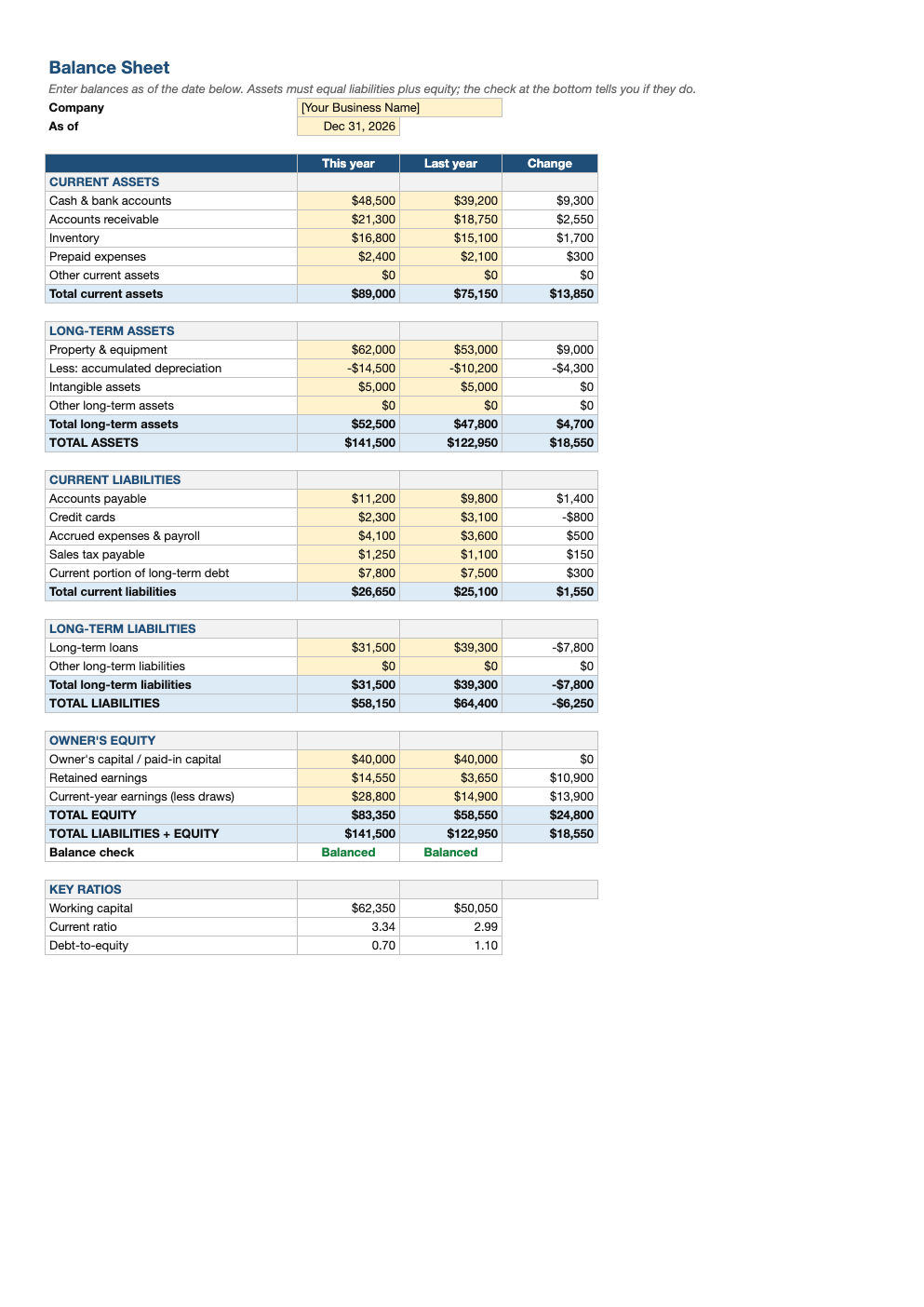
Opens in Microsoft Excel, Google Sheets, and LibreOffice. No signup, no watermarks.
How to use this template
A balance sheet is a picture of the business on one specific day, usually the last day of the year or quarter. Enter that date at the top, then fill in each balance from your bank statements, accounting software and loan statements.
Assets are what the business owns: cash, money customers owe you (accounts receivable), inventory, and equipment less accumulated depreciation. Liabilities are what it owes: supplier bills, credit cards, payroll and taxes owed, and loans. Equity is what is left for the owners: money invested plus profits kept in the business.
The fundamental equation is assets = liabilities + equity. The check row at the bottom confirms the two sides match. If it says "Off by", you are usually missing a loan, a credit card balance, or this year's profit or owner draws in equity.
The ratios turn the numbers into health indicators. Working capital and a current ratio above about 1.5 suggest you can comfortably cover short-term bills; a debt-to-equity ratio above 2 means the business relies heavily on borrowed money. Lenders look at exactly these figures, so keeping this sheet current makes loan applications much easier.
Frequently asked questions
Is this balance sheet template really free?
Yes. Download it, use it as often as you like, and share it with your team. No account, no email, no watermark. The site is supported by advertising.
Why does my balance sheet not balance?
Common causes are a missing liability (a credit card or loan), not recording owner draws, or leaving out this year's net income in equity. The check cell shows the exact difference so you can hunt for an amount that size.
How often should I make a balance sheet?
At least once a year for taxes, and quarterly or monthly if you have a loan, investors, or want to track the business's financial health.
Does it work in Google Sheets?
Yes. Upload the .xlsx to Google Drive and open it with Google Sheets; the formulas, dropdowns and conditional formatting carry over. It also works in LibreOffice Calc and Apple Numbers.