Free Kanban Board Template for Excel
A visual task board in a spreadsheet. Add tasks in a simple list, change their status, and the Board tab arranges them into To Do, Doing, Review and Done columns automatically.
What's inside
- Tasks tab with status, priority, owner, due date and notes
- Board tab with four colored columns built by formulas
- Card counts per column
- Priority colors and Done highlighting
- Room for 100 tasks and 25 cards per column
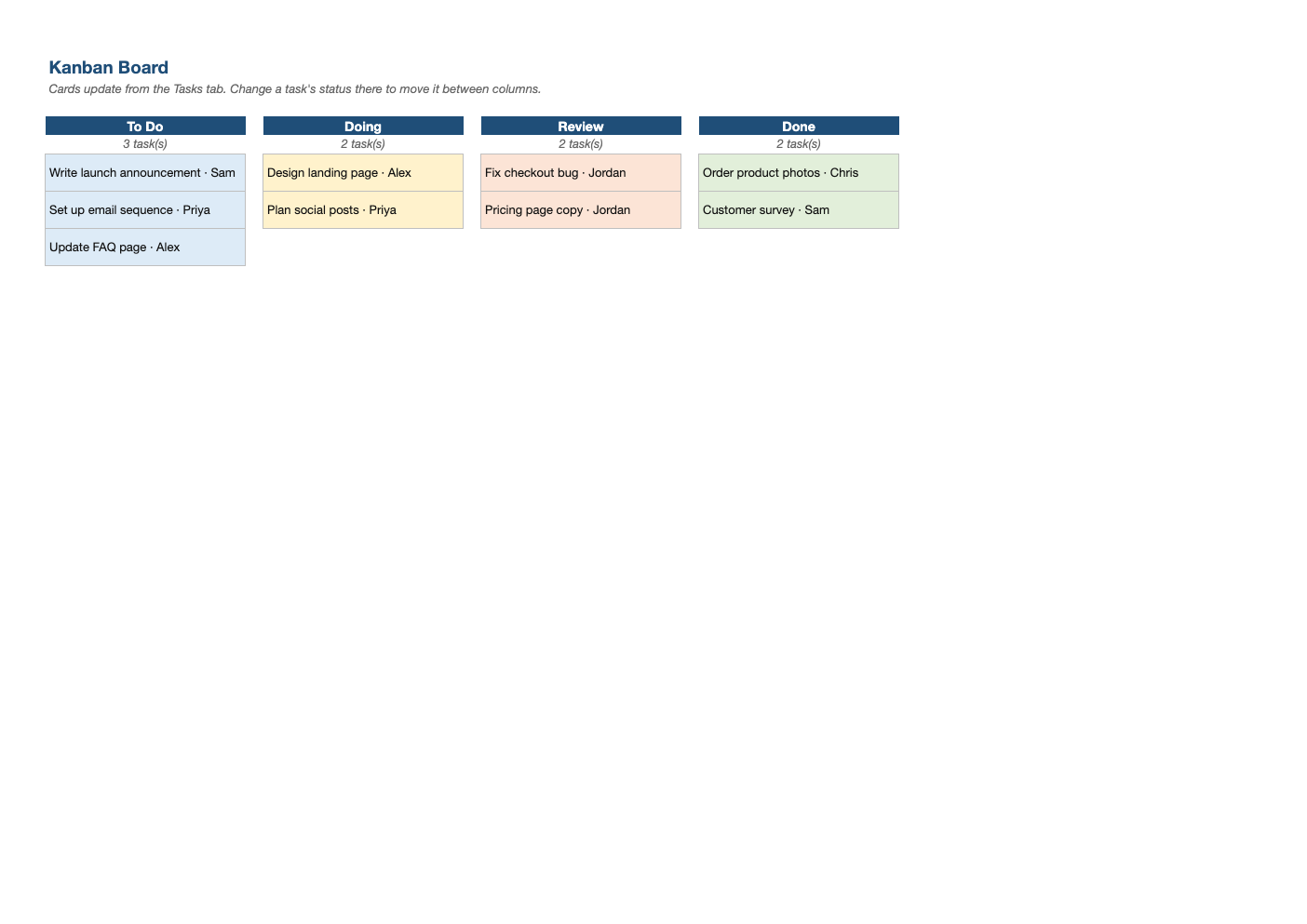
Opens in Microsoft Excel, Google Sheets, and LibreOffice. No signup, no watermarks.
How to use this template
Add tasks on the Tasks tab and pick a status from the dropdown.
Open the Board tab to see your work as cards; it updates as soon as you change a status.
Limit work in progress: if the Doing column gets long, finish things before starting new ones.
Review the board in a short weekly or daily stand-up, and archive Done tasks at the end of each week.
Frequently asked questions
Is this Kanban template really free?
Yes. Download it, use it as often as you like, and share it with your team. No account, no email, no watermark. The site is supported by advertising.
Does it work in Google Sheets?
Yes. The board uses INDEX and MATCH formulas that work in Excel, Google Sheets and LibreOffice.
What is Kanban?
A visual way to manage work by moving tasks through columns, with a limit on work in progress.
Does it work in Google Sheets?
Yes. Upload the .xlsx to Google Drive and open it with Google Sheets; the formulas, dropdowns and conditional formatting carry over. It also works in LibreOffice Calc and Apple Numbers.