Free Vegetable Garden Planner Template
Plan the garden around your frost date. Enter it once, and the planner calculates when to start seeds indoors, when to plant out and when to expect the first harvest for every crop.
What's inside
- Last spring frost date drives every date in the sheet
- Start-indoors, plant-out and first-harvest dates for each crop
- Ten common vegetables and herbs preloaded, room for 40
- Bed or location, spacing, sun and notes columns
- Landscape layout for printing
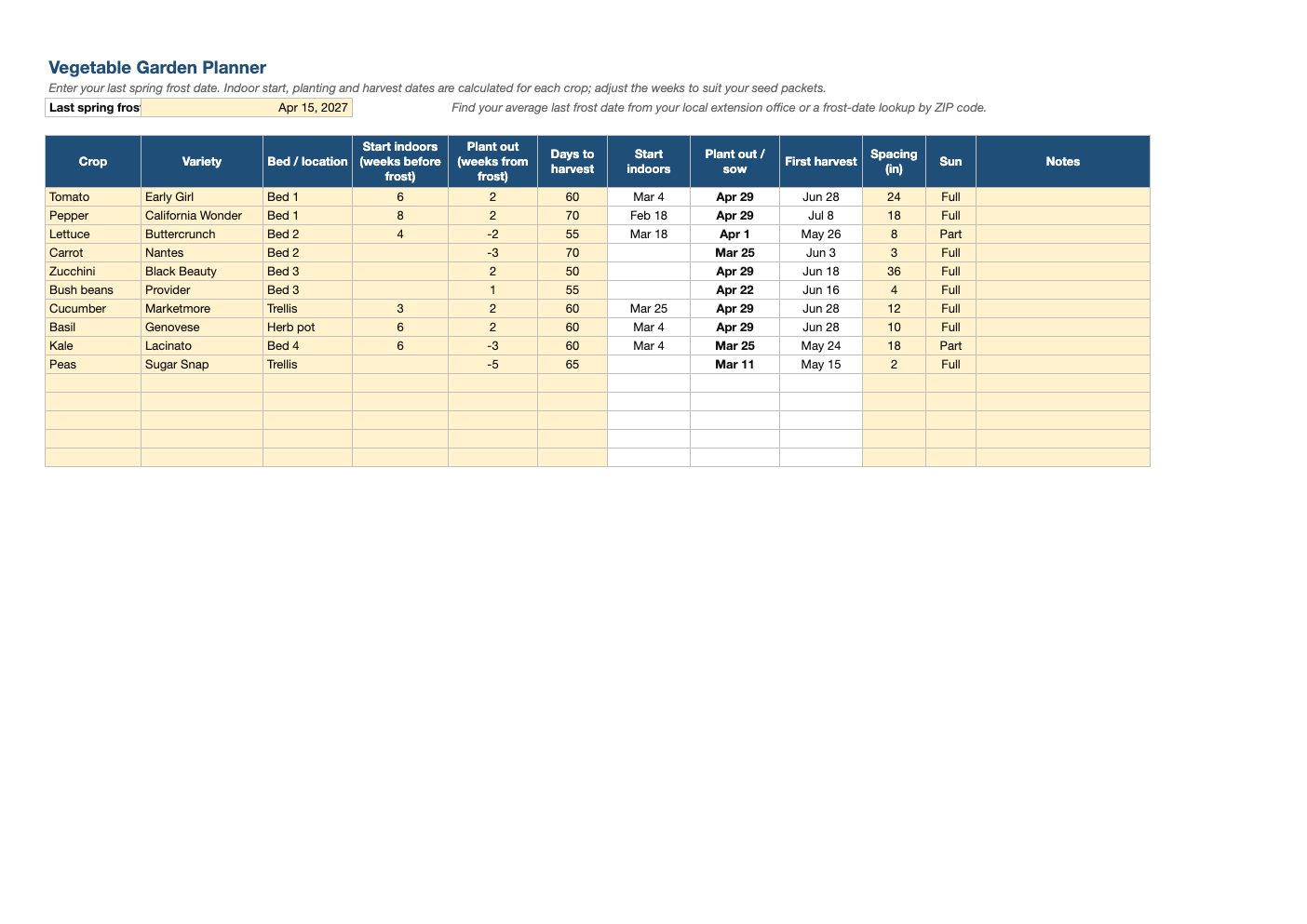
Opens in Microsoft Excel, Google Sheets, and LibreOffice. No signup, no watermarks.
How to use this template
Look up your average last spring frost date (your local cooperative extension office publishes it) and enter it at the top.
For each crop, enter weeks to start indoors before frost and weeks after (or before) frost to plant out. Seed packets list both. Negative numbers mean before the frost date, for cool-season crops like peas and kale.
Enter days to harvest from the packet to get an expected first harvest date.
Plan succession plantings of quick crops like lettuce and beans by adding extra rows two to three weeks apart.
Frequently asked questions
Is this garden planner really free?
Yes. Download it, use it as often as you like, and share it with your team. No account, no email, no watermark. The site is supported by advertising.
What is a last frost date?
The average date of the last spring freeze in your area. Frost-tender plants like tomatoes go out after it.
Why are some weeks negative?
Cool-season crops can be planted before the last frost; a negative number means weeks before the frost date.
Does it work in Google Sheets?
Yes. Upload the .xlsx to Google Drive and open it with Google Sheets; the formulas, dropdowns and conditional formatting carry over. It also works in LibreOffice Calc and Apple Numbers.