Free Simple CRM Template for Excel
A lightweight customer relationship manager for freelancers and small teams. Keep every contact, deal stage and follow-up date in one sheet, and let the colors tell you who to call next.
What's inside
- Name, company, email, phone, stage, source and owner
- Last contact and next follow-up dates
- Overdue follow-ups in red, due within 7 days in yellow
- Summary: contacts, customers, overdue, due soon and open deal value
- Room for 500 contacts with stage and source dropdowns
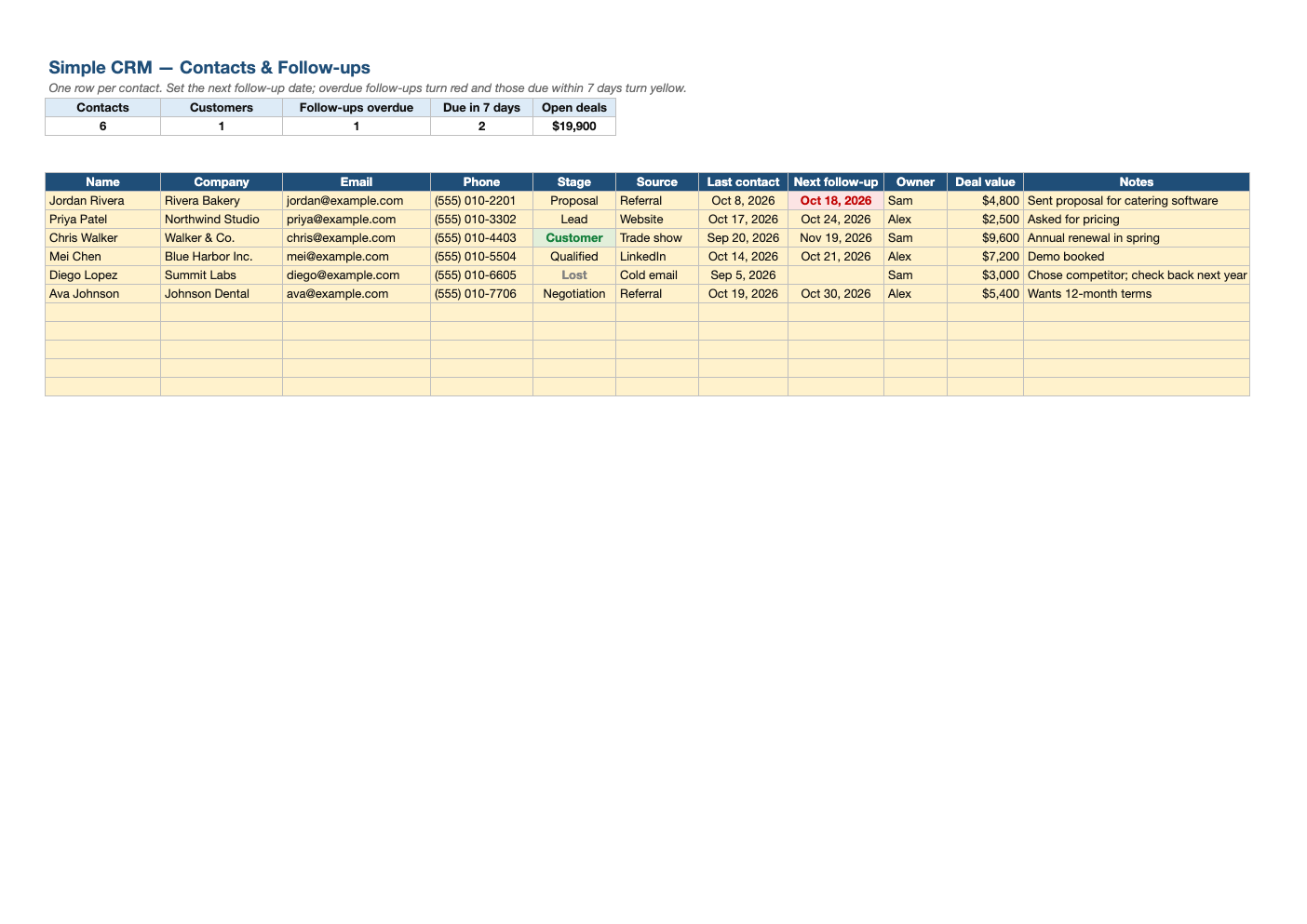
Opens in Microsoft Excel, Google Sheets, and LibreOffice. No signup, no watermarks.
How to use this template
Add each contact as a row and pick their stage: Lead, Qualified, Proposal, Negotiation, Customer or Lost.
Every time you talk to someone, update Last contact and set the Next follow-up date.
Start each day by sorting or filtering on Next follow-up; red rows are overdue.
When the sheet outgrows you (several salespeople, email logging, automation), export it as CSV and import it into a dedicated CRM.
Frequently asked questions
Is this CRM template really free?
Yes. Download it, use it as often as you like, and share it with your team. No account, no email, no watermark. The site is supported by advertising.
Is a spreadsheet good enough as a CRM?
For a few hundred contacts and one or two people, yes. It is simple, private and free.
How is this different from the sales tracker?
The sales tracker focuses on deal pipeline value; this CRM focuses on contacts and follow-up dates.
Does it work in Google Sheets?
Yes. Upload the .xlsx to Google Drive and open it with Google Sheets; the formulas, dropdowns and conditional formatting carry over. It also works in LibreOffice Calc and Apple Numbers.