Free Social Media Content Calendar Template
Plan a month of posts in one place. Schedule content by date and platform, move it from idea to published, record results, and see a monthly summary by platform.
What's inside
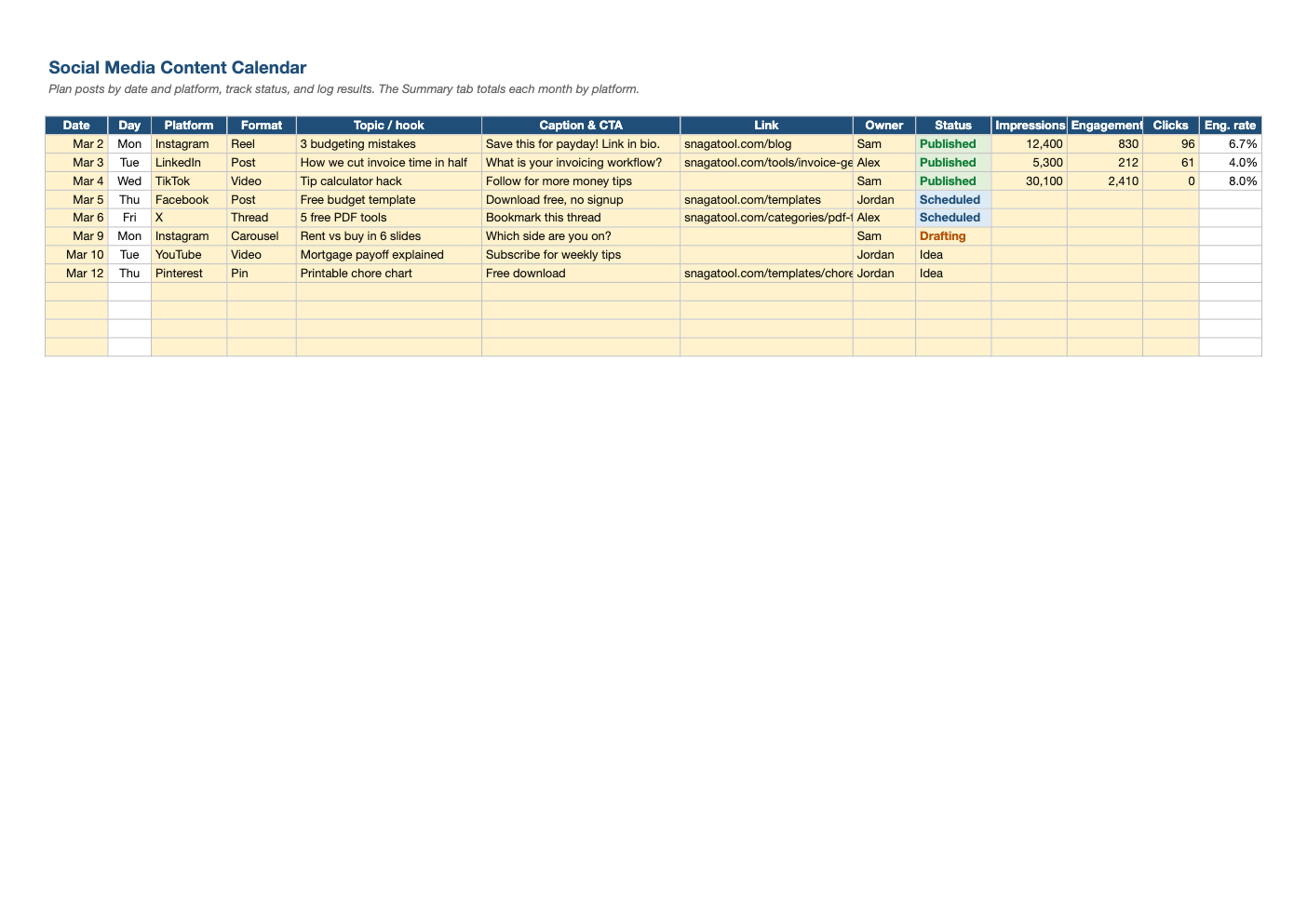
- Calendar with date, day, platform, format, topic, caption and CTA, link, owner and status
- Dropdowns for 10 platforms, 11 formats and four statuses with color coding
- Impressions, engagements and clicks with automatic engagement rate
- Monthly summary by platform: planned vs published and total results
- Room for 300 posts, with frozen headers for easy scrolling
Opens in Microsoft Excel, Google Sheets, and LibreOffice. No signup, no watermarks.
How to use this template
Brainstorm ideas straight into the calendar with the status set to Idea. As you write and design, move them to Drafting, then Scheduled, then Published. The colors make the pipeline easy to scan.
Write the hook (the first line people see) in the Topic column and the full caption and call to action next to it. Paste tracked links built with our UTM builder so you can see which posts drive traffic.
After a post has been live for a few days, record impressions, engagements and clicks. The engagement rate calculates automatically, and the Summary tab shows each platform's totals for the month you select.
Review the summary monthly: double down on the formats and topics with the best engagement rate and drop the ones that consistently underperform.
Frequently asked questions
Is this content calendar really free?
Yes. Download it, use it as often as you like, and share it with your team. No account, no email, no watermark. The site is supported by advertising.
How far ahead should I plan?
Most small teams plan two to four weeks ahead, leaving room for timely posts.
How is engagement rate calculated?
Engagements divided by impressions. Some platforms report engagement by reach or followers instead, so compare like with like.
Does it work in Google Sheets?
Yes. Upload the .xlsx to Google Drive and open it with Google Sheets; the formulas, dropdowns and conditional formatting carry over. It also works in LibreOffice Calc and Apple Numbers.