Free 16-Team Tournament Bracket (Excel)
Run a 16-team knockout tournament in a spreadsheet. Type the teams in seed order, enter scores as games finish, and winners move through the quarterfinals, semifinals and final to the champion box.
What's inside
- 16-team single-elimination bracket with standard seeding
- Enter scores; winners advance automatically
- Quarterfinals, semifinals, final and champion
- Clean landscape layout for printing
- Works for sports, games, office pools and more
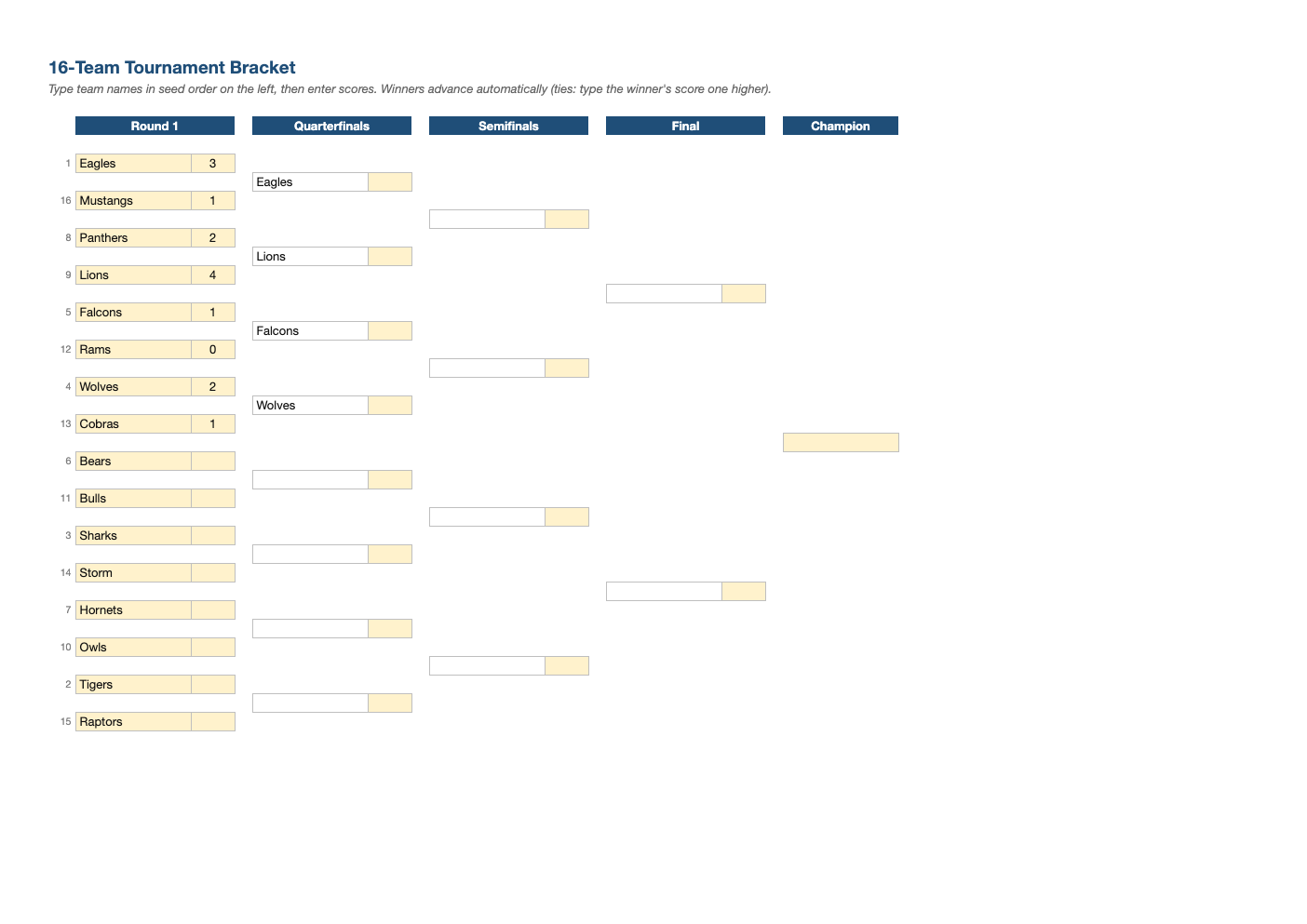
Opens in Microsoft Excel, Google Sheets, and LibreOffice. No signup, no watermarks.
How to use this template
Type team names in the Round 1 boxes; the seeds (1 vs 16, 8 vs 9 and so on) are already arranged.
Enter both scores for each game. The higher score advances.
For ties, enter the winner's score one point higher (or decide by your tiebreak rule).
For other team counts or an interactive version, try our online bracket generator.
Frequently asked questions
Is this tournament bracket really free?
Yes. Download it, use it as often as you like, and share it with your team. No account, no email, no watermark. The site is supported by advertising.
How does seeding work?
The top seed plays the lowest seed, so the strongest teams can only meet late in the tournament.
Can I use fewer than 16 teams?
Yes. Give top seeds a bye by entering a score for them against an empty slot, or use the online bracket generator, which adds byes automatically.
Does it work in Google Sheets?
Yes. Upload the .xlsx to Google Drive and open it with Google Sheets; the formulas, dropdowns and conditional formatting carry over. It also works in LibreOffice Calc and Apple Numbers.