Free Address Label Template (Avery 5160) for Word
Print mailing and return address labels on standard 30-up sheets. The table is sized exactly for Avery 5160, 8160 and compatible labels, so each address lands on its own label.
What's inside
- 30 labels per sheet, 1 × 2⅝ inches
- Aligned for Avery 5160 / 8160 / 5260 / 5960
- Three-line address placeholders
- No borders print on your labels
- Works in Word, Google Docs and Pages
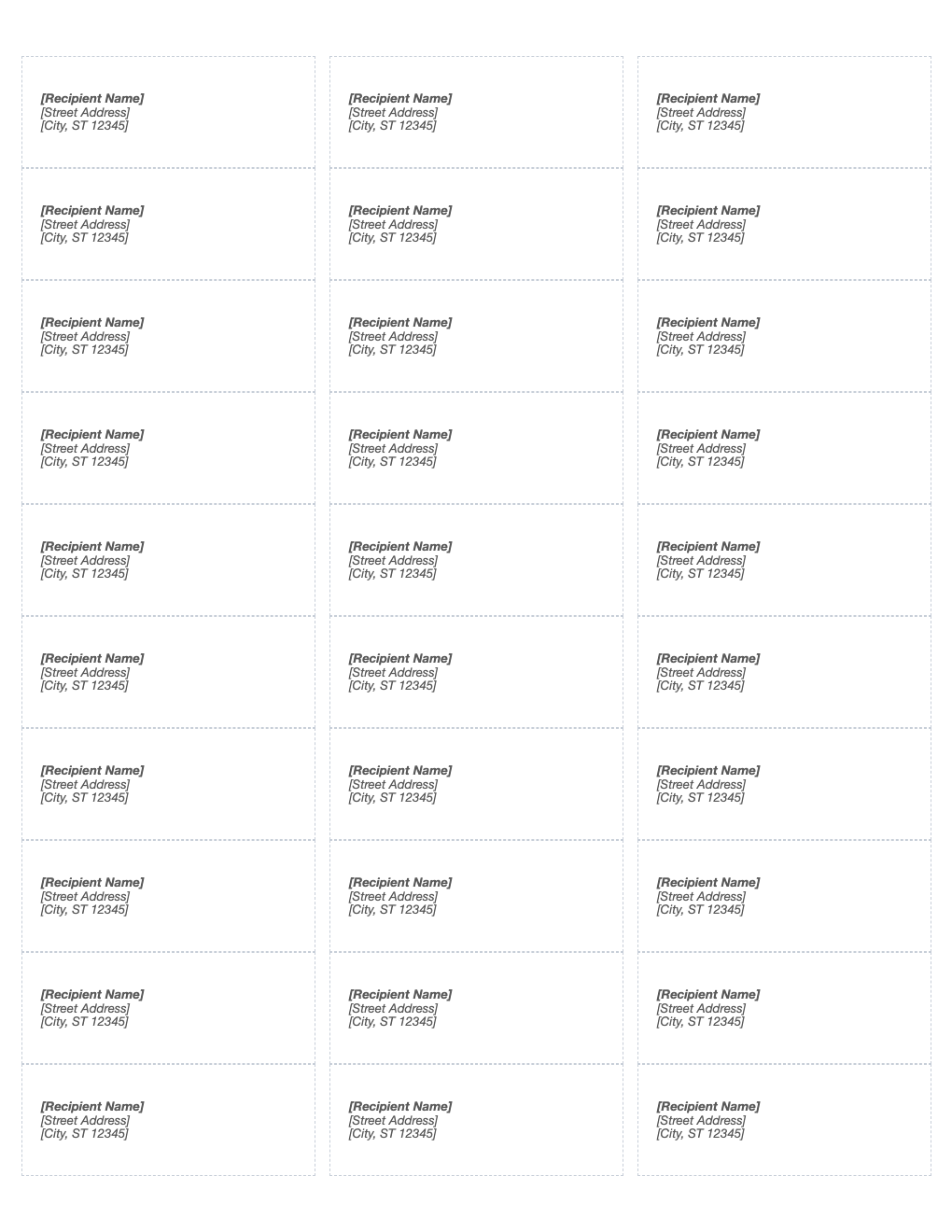
Opens in Microsoft Word, Google Docs, Apple Pages, and LibreOffice. No signup, no watermarks.
How to use this template
Type each address into a label. For one return address on every label, type it once and copy it into all 30.
For a long mailing list, our address label maker builds the PDF from a pasted list or CSV in seconds.
Print a test page on plain paper at 100% and hold it against a label sheet to check alignment.
Feed label sheets one at a time and in the direction your printer manual recommends.
Frequently asked questions
Is this address label template really free?
Yes. Download it, use it as often as you like, and share it with your team. No account, no email, no watermark. The site is supported by advertising.
What size is Avery 5160?
1 × 2⅝ inches, 30 labels per US Letter sheet (3 across, 10 down).
How do I print it so it lines up?
Print at 100% scale ("Actual size"), not "Fit to page", and print a test page on plain paper first. Hold it against the sheet to check alignment.
Can I use it in Google Docs?
Yes. Upload the .docx to Google Drive and open it with Google Docs, or open it in Apple Pages or LibreOffice Writer. The layout and tables carry over.