Free Guest List & RSVP Tracker Template
Keep the headcount straight from save-the-dates to thank-you notes. Track every invitation, RSVP and meal choice, with a live summary of who is coming.
What's inside
- One row per invitation with side, guests invited, RSVP and number attending
- Meal choice counts (chicken, beef, fish, vegetarian, kids) with a check against attendance
- Live summary: invitations, guests invited, attending, declined and awaiting reply
- Table assignment, contact, address, gift and thank-you-sent columns
- Color-coded RSVP status
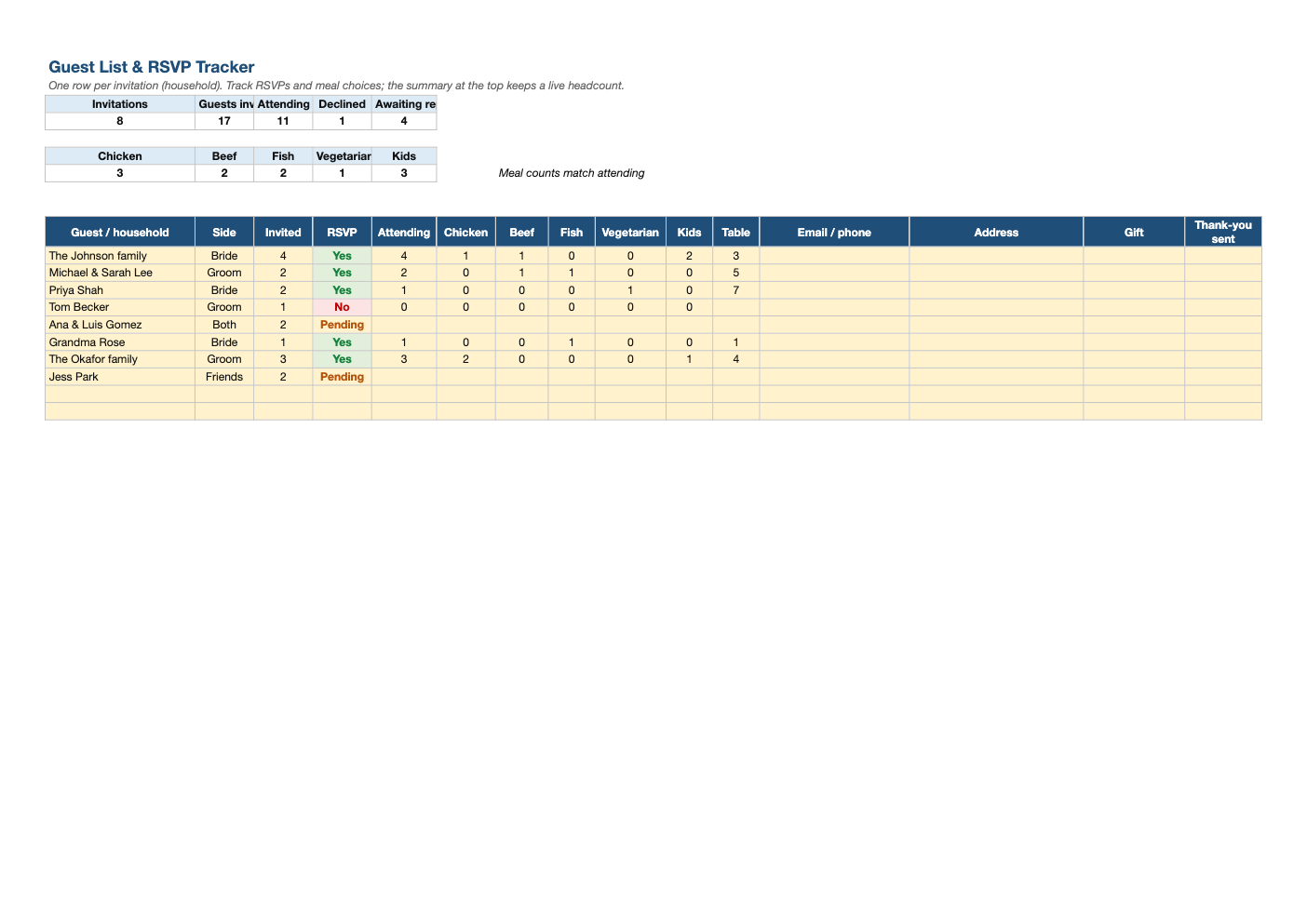
Opens in Microsoft Excel, Google Sheets, and LibreOffice. No signup, no watermarks.
How to use this template
Enter one row per household or invitation with how many guests are invited. Addresses and emails here double as your mailing list for invitations.
As RSVPs arrive, set the status and enter how many are attending and their meal choices. The summary updates the headcount and meal totals for your caterer instantly.
Use the Table column to plan seating, and sort by it to produce the list for your venue.
After the event, log gifts and tick off thank-you notes as you send them.
Frequently asked questions
Is this guest list template really free?
Yes. Download it, use it as often as you like, and share it with your team. No account, no email, no watermark. The site is supported by advertising.
How do I track meal choices?
Enter the number of each meal for the household. The totals at the top are what you send to the caterer.
Why do meal counts not match attending?
Some households have not given meal choices yet. The check at the top tells you when they match.
Does it work in Google Sheets?
Yes. Upload the .xlsx to Google Drive and open it with Google Sheets; the formulas, dropdowns and conditional formatting carry over. It also works in LibreOffice Calc and Apple Numbers.