Free Place Card Template for Word
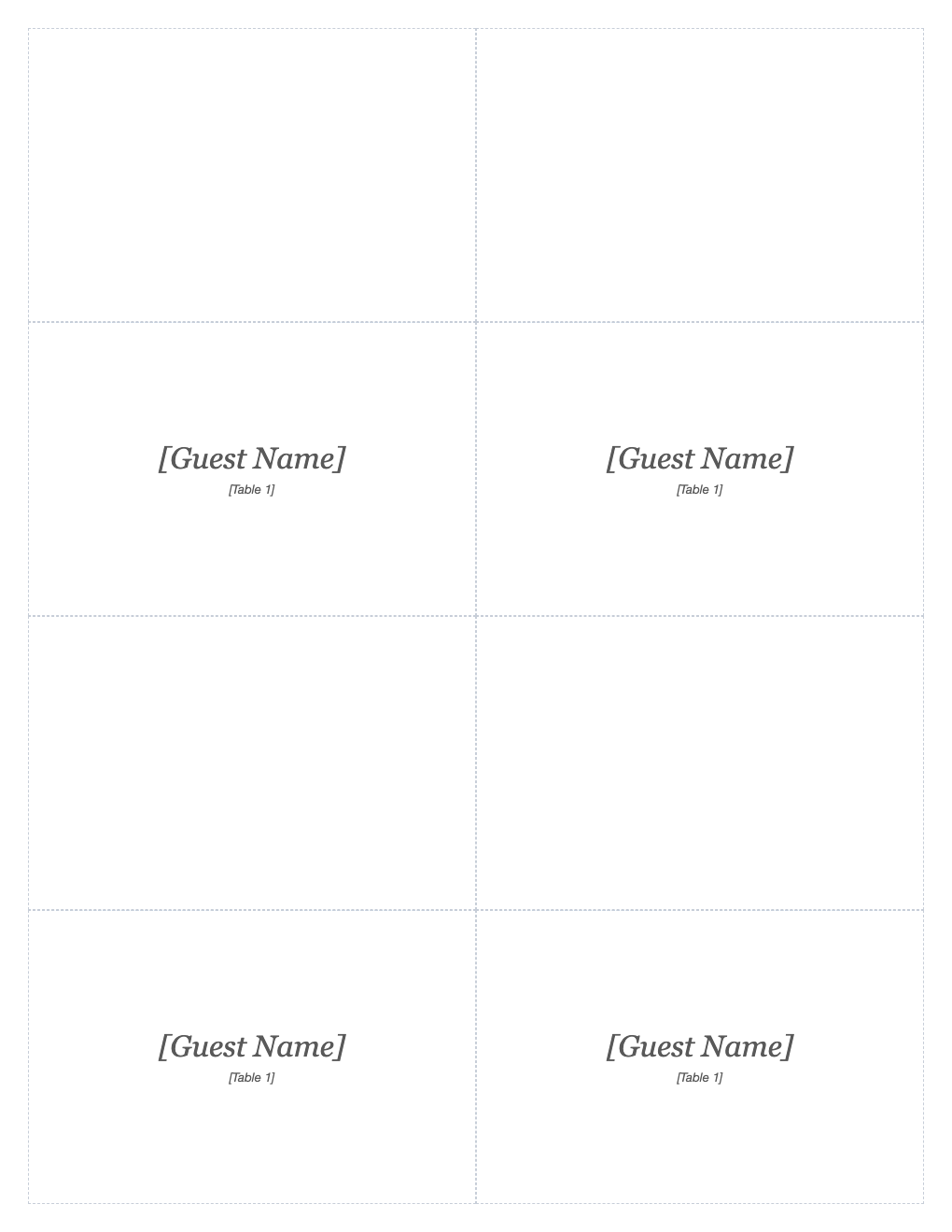
Seat guests in style at weddings, dinner parties and banquets. Four fold-over tent cards per letter sheet, each with the guest's name and table number, ready to cut, fold and set out.
What's inside
- 4 tent cards per letter sheet
- Guest name in elegant script-style type
- Table number line
- Cut guides and a fold line on each card
- Edit fonts and colors to match your theme
Opens in Microsoft Word, Google Docs, Apple Pages, and LibreOffice. No signup, no watermarks.
How to use this template
Type each guest's name and table into the lower half of a card.
Print on card stock (65–110 lb) at 100% scale.
Cut along the outer guides, then fold along the middle line so the name faces your guests.
Use our seating chart maker to plan who sits at which table first.
Frequently asked questions
Is this place card template really free?
Yes. Download it, use it as often as you like, and share it with your team. No account, no email, no watermark. The site is supported by advertising.
What paper should I use?
White or ivory card stock between 65 and 110 lb holds a crisp fold.
How big is each card?
About 4 × 5¼ inches flat, folding to about 4 × 2⅝ inches.
Can I use it in Google Docs?
Yes. Upload the .docx to Google Drive and open it with Google Docs, or open it in Apple Pages or LibreOffice Writer. The layout and tables carry over.