Free Reference List Template for Word
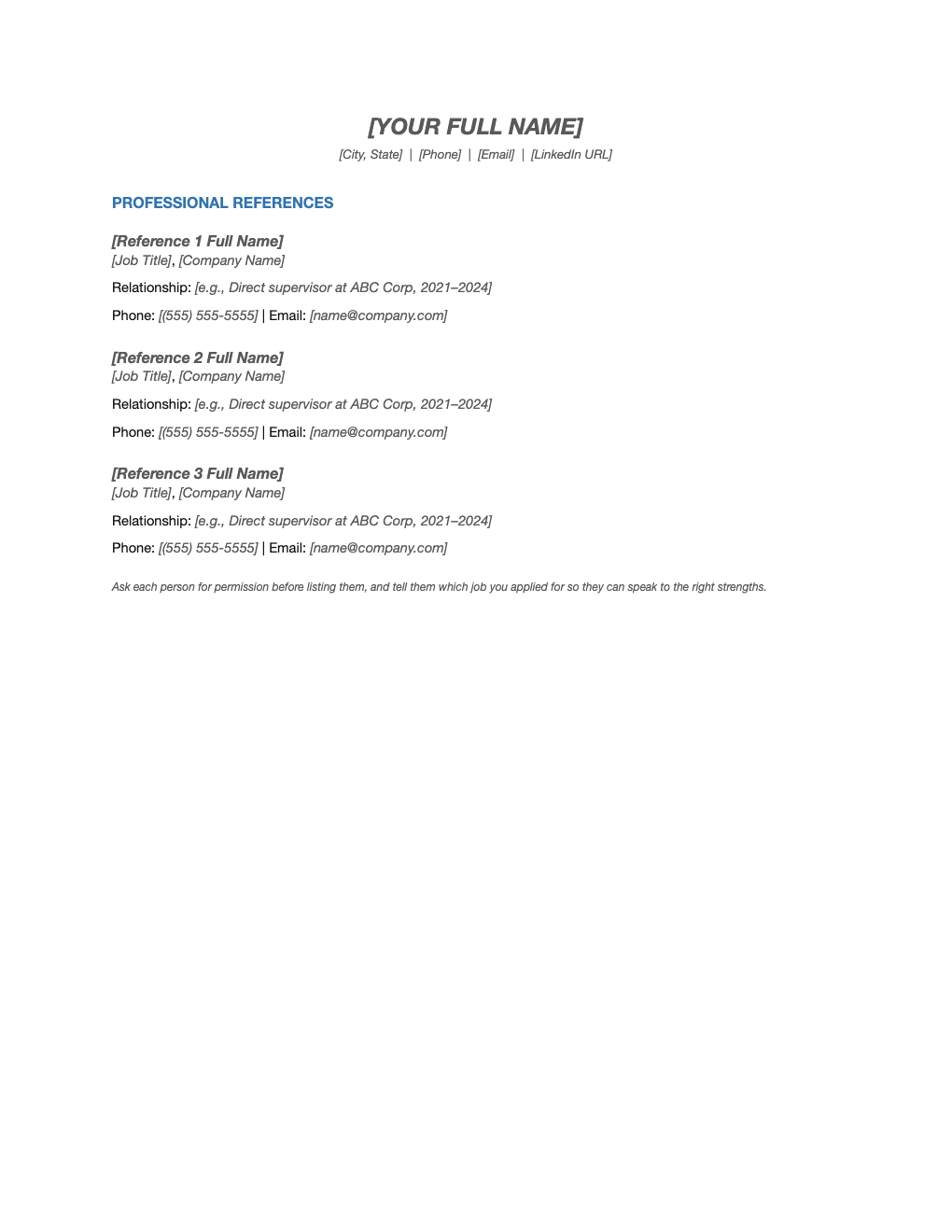
A clean references page that matches your resume. Lists three professional references with their title, company, how you know them, and how to reach them.
What's inside
- Header matching your resume: name and contact details
- Three reference blocks: name, title, company and relationship
- Phone and email for each reference
- Reminder to ask permission and brief your references
- Easy to extend to four or five references
Opens in Microsoft Word, Google Docs, Apple Pages, and LibreOffice. No signup, no watermarks.
How to use this template
Choose three to five people who have seen your work recently: former managers are best, followed by senior colleagues, clients or, for early-career candidates, professors and internship supervisors.
Ask each person first, and confirm the phone number and email they prefer. Tell them which job you applied for and what you would like them to emphasize, then send them your resume.
The relationship line matters: "Direct supervisor at ABC Corp, 2021–2024" tells the employer exactly why this person's opinion counts.
Do not attach the list to every application. Bring it to interviews or send it when asked. Use the same header as your resume so your documents look like a set.
Frequently asked questions
How many references should I list?
Three is standard. Some employers ask for up to five, so have one or two extra people ready.
Can I use friends or family as references?
Not for professional references. Use people who supervised or worked closely with you; personal references are only appropriate when specifically requested.
Should references go on my resume?
No. Use a separate page like this one and provide it when asked. "References available on request" is no longer needed on a resume either.
Can I use it in Google Docs?
Yes. Upload the .docx to Google Drive and open it with Google Docs, or open it in Apple Pages or LibreOffice Writer. The layout and tables carry over.