Free Habit Tracker Template for Excel
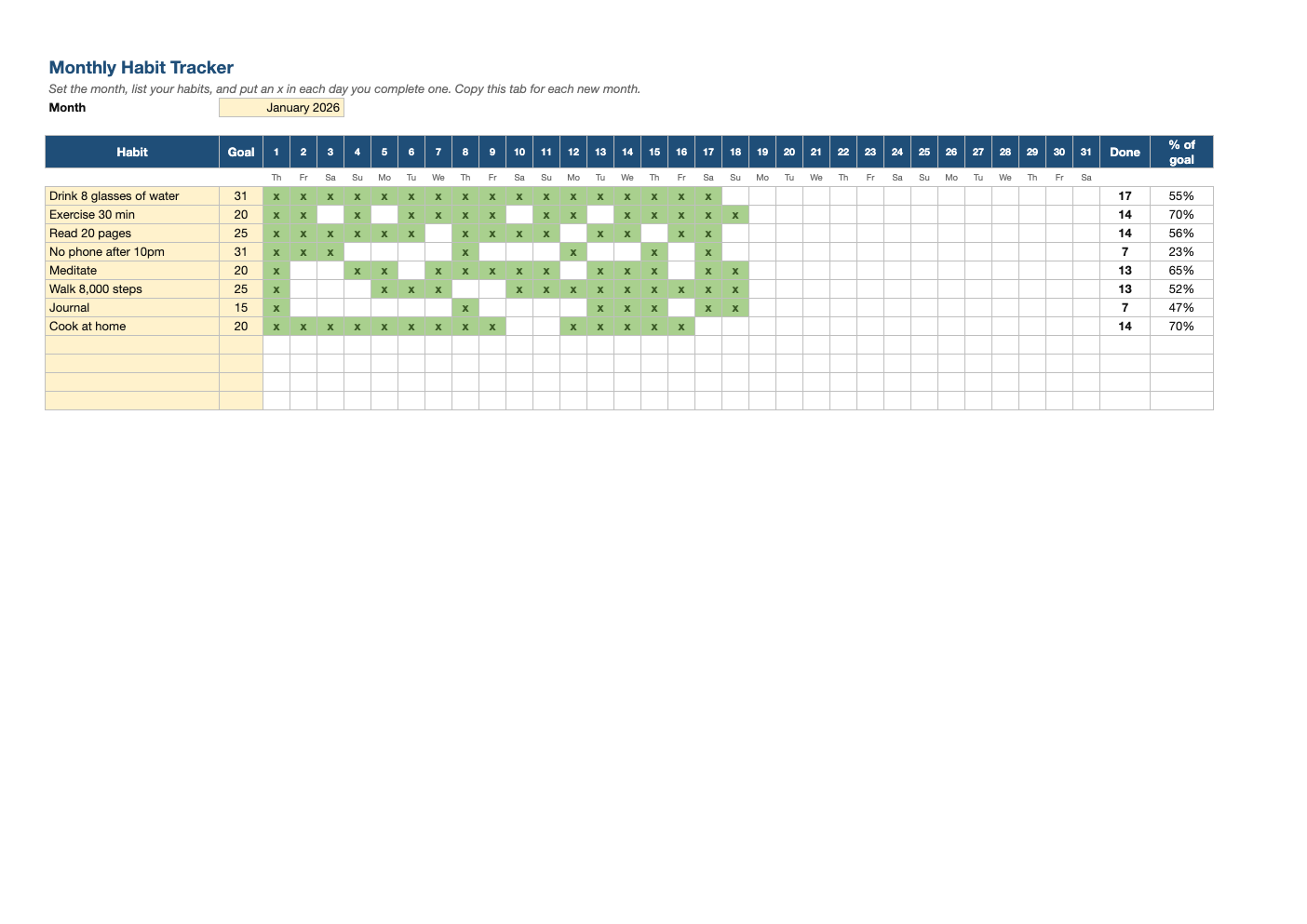
Build habits you can see. Set the month, list up to 12 habits with a goal, and put an x in each day you follow through. The grid turns green and shows your progress toward each goal.
What's inside
- Monthly grid for 12 habits with day numbers and weekday initials that follow the month you choose
- Cells turn green as you mark them, which makes streaks easy to see
- Goal (days per month), days done and % of goal for each habit
- Handles 28-, 30- and 31-day months automatically
- Landscape layout that prints on a single page for the fridge or desk
Opens in Microsoft Excel, Google Sheets, and LibreOffice. No signup, no watermarks.
How to use this template
Choose the month in the yellow cell at the top; the day numbers and weekday initials update to match. List the habits you want to build and set a realistic monthly goal for each, such as 20 days of exercise rather than 31.
Each day, put an x (or any character) in the box for every habit you completed. The square turns green, and the Done and % of goal columns update instantly.
Start with three to five habits. Research on habit formation suggests consistency matters more than intensity, and a short list you complete beats a long list you abandon. Tie each new habit to an existing routine ("after I pour my coffee, I read 10 pages").
At the end of the month, right-click the tab, choose Move or Copy, tick "Create a copy", change the month, and clear the marks. Keep the old tabs to look back at your progress over the year.
Frequently asked questions
Is this habit tracker really free?
Yes. Download it, use it as often as you like, and share it with your team. No account, no email, no watermark. The site is supported by advertising.
Can I print it?
Yes. It is set to fit one landscape page, so you can print a blank month and fill it in by hand if you prefer paper.
What should I put in the boxes?
Anything: x, 1, or a check mark. Any entry counts as done.
Does it work in Google Sheets?
Yes. Upload the .xlsx to Google Drive and open it with Google Sheets; the formulas, dropdowns and conditional formatting carry over. It also works in LibreOffice Calc and Apple Numbers.