Free Weekly Planner Template
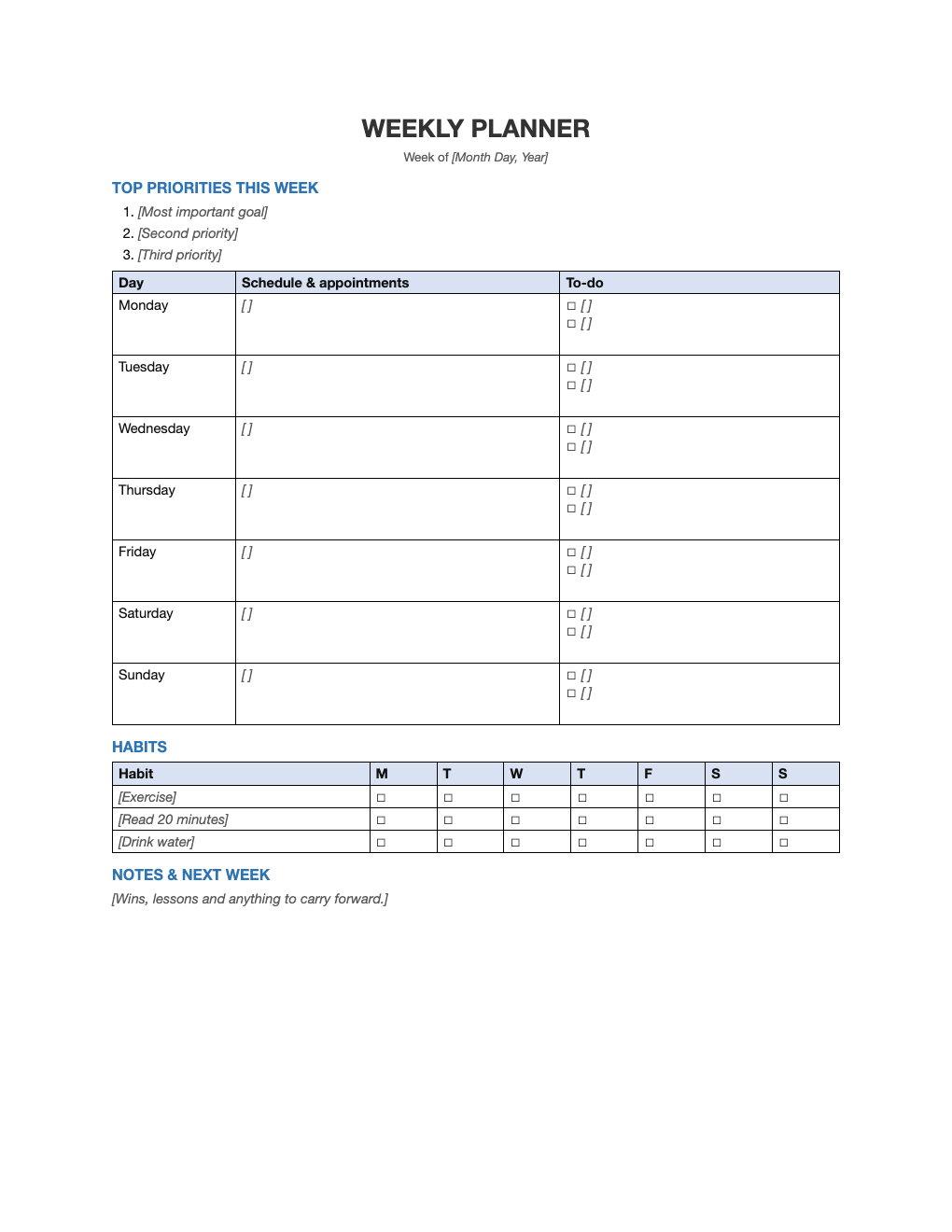
Plan the whole week on one page: your top three priorities, appointments and to-dos for each day, a small habit tracker, and space for notes.
What's inside
- Week-of date and top three priorities
- Monday to Sunday rows with schedule and to-do columns
- Mini habit tracker for the week
- Notes and next-week section
- One printable page
Opens in Microsoft Word, Google Docs, Apple Pages, and LibreOffice. No signup, no watermarks.
How to use this template
Set aside 15 minutes on Sunday to fill it in. Start with the three things that would make the week a success.
Add fixed appointments first, then spread to-dos across the days around them.
Check off habits daily and review the week before planning the next one.
Print a stack of blank copies, or edit it digitally each week.
Frequently asked questions
Is this weekly planner really free?
Yes. Download it, use it as often as you like, and share it with your team. No account, no email, no watermark. The site is supported by advertising.
Should I plan digitally or on paper?
Both work. Paper helps some people focus; the Word file lets you plan on screen and print.
Can I print it?
Yes. It is set up to print cleanly on US Letter paper; choose "Fit to page" if your printer uses A4.
Can I use it in Google Docs?
Yes. Upload the .docx to Google Drive and open it with Google Docs, or open it in Apple Pages or LibreOffice Writer. The layout and tables carry over.