Free Flyer Template for Word
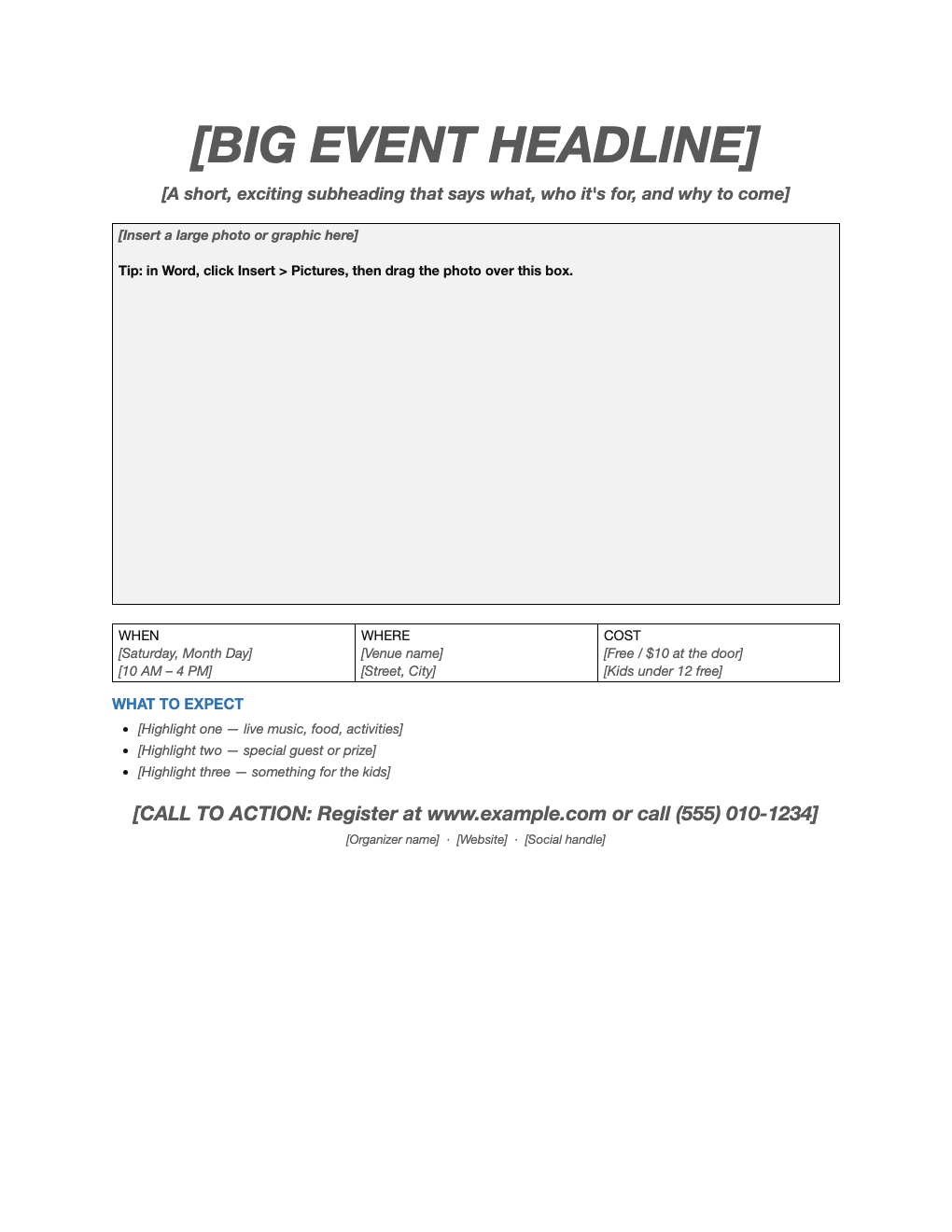
Promote an event, sale, class or open house with a clean one-page flyer. Swap in your headline and photo, fill in when, where and cost, and finish with a clear call to action.
What's inside
- Big headline and subheading
- Large photo or graphic area
- When, where and cost boxes
- Highlights list
- Call to action and contact line
Opens in Microsoft Word, Google Docs, Apple Pages, and LibreOffice. No signup, no watermarks.
How to use this template
Write a headline people can read from across the room: what it is, in five words or fewer.
Insert a photo with Insert > Pictures and drag it over the photo box, or delete the box for a text-only flyer.
Keep details short and specific; put the call to action (register, call, visit) in the biggest type after the headline.
Print on bright paper for bulletin boards, or save as PDF to share online.
Frequently asked questions
Is this flyer template really free?
Yes. Download it, use it as often as you like, and share it with your team. No account, no email, no watermark. The site is supported by advertising.
How do I add a picture?
Click Insert > Pictures in Word, then drag the image over the gray photo box (or delete the box).
Can I print it?
Yes. It is set up to print cleanly on US Letter paper; choose "Fit to page" if your printer uses A4.
Can I use it in Google Docs?
Yes. Upload the .docx to Google Drive and open it with Google Docs, or open it in Apple Pages or LibreOffice Writer. The layout and tables carry over.