Free Raffle Ticket Template for Word
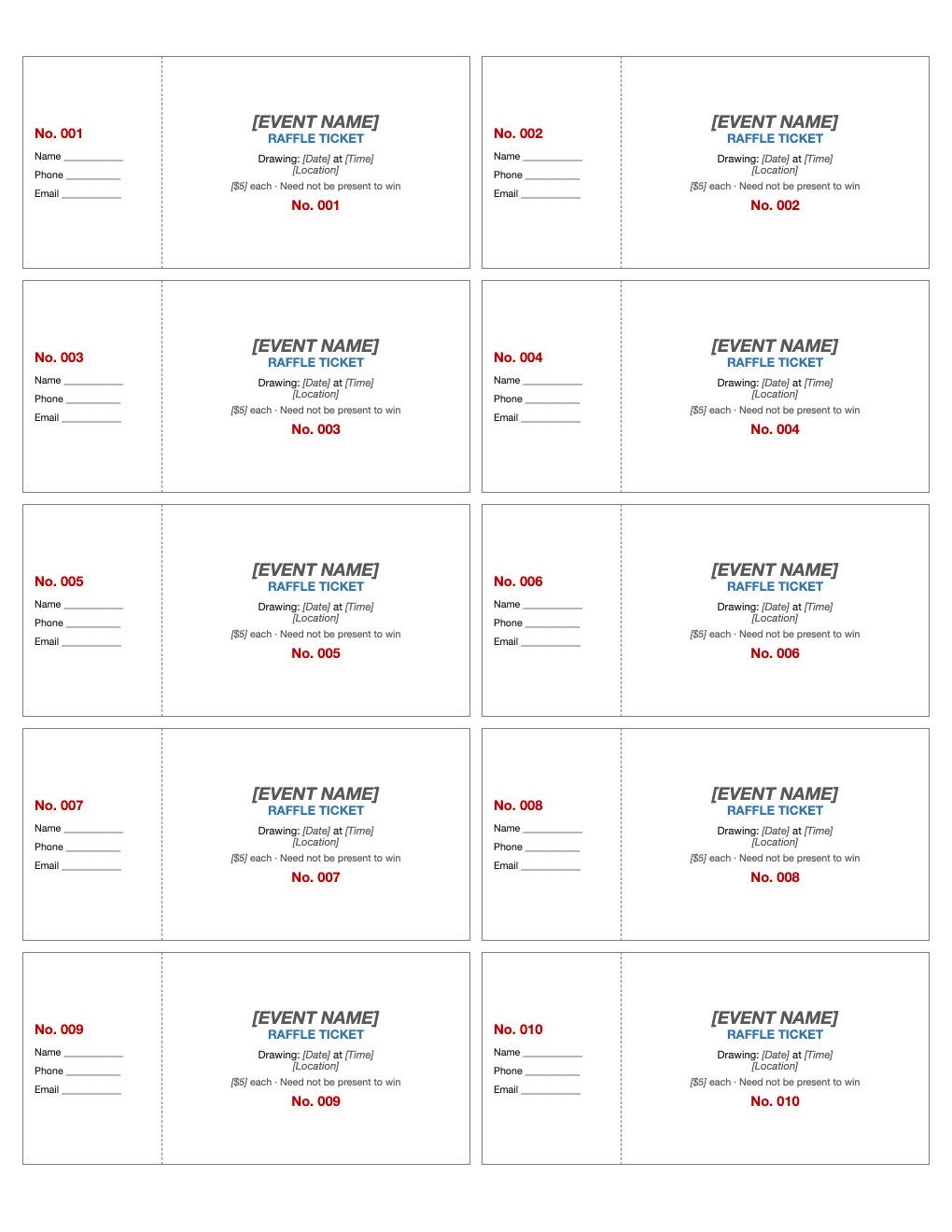
Run a fundraiser raffle with professional-looking tickets. Fifty tickets numbered 001 to 050, each with a stub for the buyer's name and phone and a ticket with your event, drawing date and price.
What's inside
- 50 tickets numbered 001–050, 10 per page
- Stub with number, name, phone and email lines
- Ticket with event name, drawing date, location and price
- Matching numbers on stub and ticket
- Dashed line for tearing or cutting
Opens in Microsoft Word, Google Docs, Apple Pages, and LibreOffice. No signup, no watermarks.
How to use this template
Replace the event name, date, location and price on the first ticket, then copy the text to the others (keep the numbers).
Print on card stock and cut along the solid lines; fold or cut along the dashed line to separate stubs.
Keep the stubs in a container for the drawing and give buyers the tickets.
Raffles are regulated in many places: check your state and local rules about permits and who may run a raffle.
Frequently asked questions
Is this raffle ticket template really free?
Yes. Download it, use it as often as you like, and share it with your team. No account, no email, no watermark. The site is supported by advertising.
Do I need a permit to hold a raffle?
Often yes. Rules vary by state and city, and many limit raffles to nonprofits. Check before selling tickets.
How do I make more than 50 tickets?
Copy the pages and change the numbers, starting at 051.
Can I use it in Google Docs?
Yes. Upload the .docx to Google Drive and open it with Google Docs, or open it in Apple Pages or LibreOffice Writer. The layout and tables carry over.